1
SJUG.book Page 22 Tuesday, October 9, 2001 1:35 PM
Note
The flash recharges between pictures. This is
indicated by a blinking flash icon on the status LCD.
In addition, if the image display is on, the message
FLASH CHARGING might appear in the status line
at the bottom of the image display when you press
the SHUTTER button. When the flash icon stops
blinking, you can take another flash picture.
.
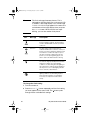
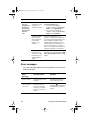
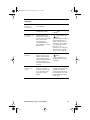
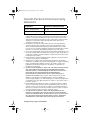
Icon
Message
Description
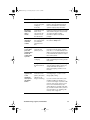
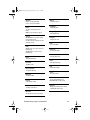
AUTO FLASH
The camera determines the need for a flash
based on lighting conditions. The flash setting
reverts to AUTO FLASH each time you turn the
camera on.
RED-EYE
The flash will be used if needed. Red-eye
reduction minimizes the occurrence of red-eye in
pictures of people or animals by emitting several
short flashes to condition the subject’s eyes to
the flash, followed by a final flash to take the
picture. If you are photographing people, tell
them to wait for the final flash before moving.
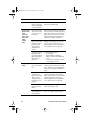
FLASH ON
The flash will be used in all lighting conditions.
The amount of light provided by the flash will be
adjusted according to the current lighting
conditions. Use this setting when the lighting for
the entire picture is sufficient, but the lighting for
the subject is not, as in a backlighting situation.
This is commonly called “fill flash.”
FLASH OFF
The flash will not be used, regardless of the
lighting conditions. Use this setting in places
where flash photography is not permitted. If
necessary, use a tripod to hold the camera
steady.
To change the flash setting
1 Turn the camera on.
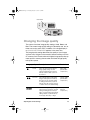
2 Press the FLASH ( ) button repeatedly until the flash setting
you want appears on the status LCD. The button cycles
through the four available flash settings.
22
HP photosmart 318 User Guide