1
SJUG.book Page 47 Tuesday, October 9, 2001 1:35 PM
The images are copied from internal memory to the CF
memory card. Your images are still stored in internal memory
until you delete them. If you have created a print order for
those images, the print order is copied to the CF memory card
along with the images.
Formatting memory
The internal memory installed in your digital camera is formatted
at the factory. Under ordinary circumstances, you do not need to
format it. However, if the camera does not store images properly,
you might want to try formatting the internal memory.
CAUTION
Formatting deletes everything stored in memory.
Most CF memory cards are already formatted when you buy them.
However, if you buy a CF memory card that has not been
formatted, you need to format it before you can store images on it.
If you insert a new, formatted card in the camera and it doesn’t
work, try reformatting it—it may have been formatted improperly.
Also reformat cards that were previously used in a different
camera to optimize them for use with your camera.
Note
You can reuse a CF memory card that is full by
formatting it. This deletes all images and files from
the card. You can also use the Delete menu to
delete one or all images from a CF memory card.
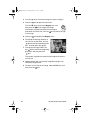
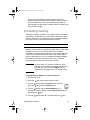
To format internal memory or a CF memory card
1 Turn the camera on.
2 Press the
3 Turn the
press the
dial twice to open the main menu.
dial to scroll to the Delete icon, and then
dial to open the Delete menu.
4 Turn the
dial to scroll to Format Memory or, if a
CF memory card is installed, scroll to Format CF Card, and
then press the
dial.
5 Turn the
dial to select Yes, and then press the
Storing images in memory
dial.
47