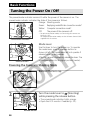
1
4
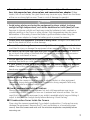
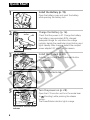
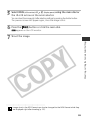
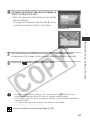
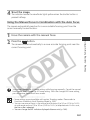
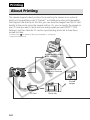
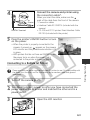
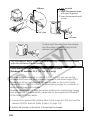
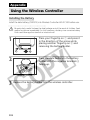
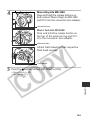
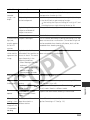
Connect the camera and printer using
the connection cable*.
to
Printer
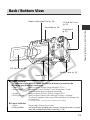
DIGITAL Terminal
When you insert the cable, make sure the
mark of the cable faces the front of the camera.
* Connection cables
• Interface Cable IFC-300PCU (included with the
camera)
• CP-100 and CP-10 printer: Direct Interface Cable
DIF-100 (included with the printer)
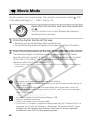
the printer’s ON/OFF button to turn
5 Press
on the power.
Connecting to a Bubble Jet Printer
○ ○ ○ ○ ○ ○ ○ ○ ○ ○ ○ ○ ○ ○ ○ ○ ○ ○ ○ ○ ○ ○
Please read the user guide supplied with your BJ printer to see if it is compatible with
the direct print function, and for instructions on connection cables and general
operations.
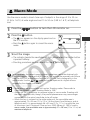
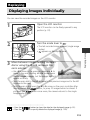
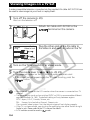
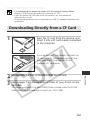
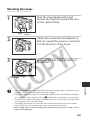
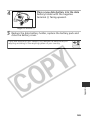
1 Turn off the camera (p. 29).
the BJ printer´s power on after you have connected the
2 Turn
power cord to the BJ printer and inserted the other end in a
power outlet.
3
Open the LCD monitor.
137
Printing, Transferring
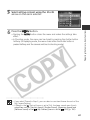
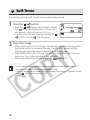
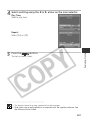
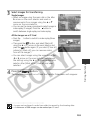
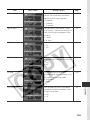
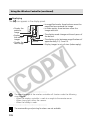
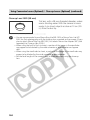
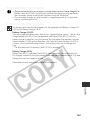
• When the printer is properly connected to the
camera, it powers up, appears on the camera
LCD monitor and the power/mode indicator is lit
in green.
• With printers that do not have an ON/OFF button,
the power turns on when the power cord is
connected to the printer as shown in Step 2.