1
SC-BT100P-ENG.book 21 ページ
2008年2月20日 水曜日 午後6時22分
Playback
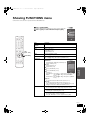
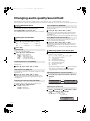
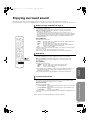
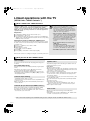
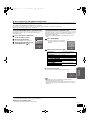
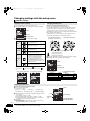
This system features two different iPod playback modes.
The first of these is EXTENDED mode, for playback of music contents. With this mode, the menu screen on the system can be used to search for
playlists and artist names, and to play music. The second mode is SIMPLE mode, which can be used for playback of three types of contents –
music, photos, and videos. With this mode, simple operations such as play, stop, and search can be performed on the display of your iPod.
Enjoy music (EXTENDED mode)
Enjoy videos/photos (SIMPLE mode)
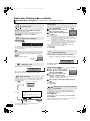
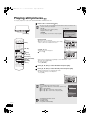
1 Press [iPod] to select “IPOD”.
You can also play music using SIMPLE mode.
The iPod automatically switches to this unit’s display mode.
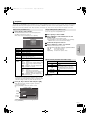
iPod Music menu appears on the TV.
≥If the menu screen is not displayed, press [SETUP].
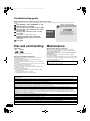
iPod Music
1 Press [iPod] to select “IPOD”.
2 Press [SETUP] to switch the iPod to its own
display mode.
Proceed operations through display of iPod.
≥If the iPod Music menu (> left) is displayed, press [SETUP].
“SIMPLE” will be shown on the main unit’s display.
Playlists
Artists
Albums
Songs
3 Switch the TV input to video in.
Podcasts
Audiobooks
Playback Mode
4 Play a slideshow or video on your iPod.
OK
Playlists
Selection/playback method
Search from all playlists.
Artists
Search by artist name.
Albums
Search by album title.
Songs
Podcasts
Search from all songs registered on iPod.
Search by episode for radio programs
downloaded from iTunes store.
Audiobooks Search by title from audiobooks purchased from
iTunes store or audible.com.
Playback
Mode§
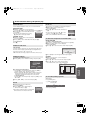
Shuffle
≥Off:
Cancel
≥Songs: Play all songs on iPod in random order.
≥Albums: Play all songs on album in random
order.
“
” is displayed on the unit’s display when
“Songs” or “Albums” is selected.
Repeat
≥Off:
≥One:
≥All:
Cancel
Play single song repeatedly.
Play all songs from selected item (e.g.,
Playlists, Albums, etc.) repeatedly.
“
” is displayed on the unit’s display when
“One” or “All” is selected.
§
You can also use the remote control to operate iPod menu.
≥[3, 4]:
To navigate menu items
≥[OK]:
To go to the next menu
≥[RETURN]: To return to the previous menu
Basic
operations
Items
The picture will be displayed on your TV.
Playback modes during connection/when disconnected
System may be operated in same playback mode as set with
iPod when connected. Playback may also be continued on iPod
with same settings as made on system after disconnection.
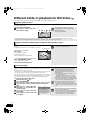
Basic controls (For music and videos only)
Buttons
[1] (PLAY)
Functions
Play
[∫]
Pause
[;]
≥Press [1] (PLAY) to restart play.
≥Playback start position may not be
stored in memory in certain cases.
[:, 9]
(Press and hold)
[6, 5]
Skip
Search
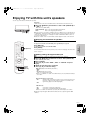
You can enjoy surround sound effect when you press [ÎPLIIx] or
[NEO:6] (> 27).
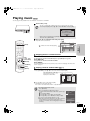
2 Press [3, 4] to select an item and press [OK].
≥Play will start from the selected song if this operation is
repeated several times.
≥Press [RETURN] to return to the previous screen.
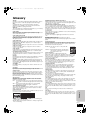
e.g.,
Playing condition
iPod
Song
Artist
Album
Good morning
Ronaldo
Happy days
2:43
Playing
position
45 of 1230
Pause Play
Skip
Skip
RETURN
Clear/display iPod Music menu during playback.
Press [TOP MENU].
RQT9129
21