1
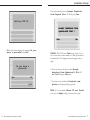
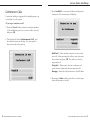
2. Press DeleteList.
3. Press Delete to confirm. The display shows
Callers list is empty.
Redial List
Status Lights
Speaker Light
• Speaker light is on: A call is on handsfree (speaker).
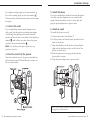
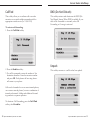
The Redial List records the last 10 numbers you dialed.
• Speaker light flashes slowly: Indicates that the
headset/handset is being used.
Redialing a Number
1. Press
to view the Redial List.
2. Use the
and
keys to move the cursor to
the number you want to dial.
• Speaker light flashes and the screen displays the
prompt Microphone muted: A call is muted.
Press
in the model 390 or
in the 480
to take the call off mute.
3. Lift the handset to dial the number, press the Dial
softkey, or press the
button in the model
390 or
/ in the 480.
Telephone Light
Deleting the Redial List
1. Press
to view the Redial List.
2. Press the DeleteList softkey.
3. Press the Delete softkey to confirm.
• Light flashes and the display shows Message
Waiting: You have voicemail.
Hold
Mutes the handset and speaker.
Note: Caller will not hear any on-hold music connected to your
system as they would if the Hold softkey in the Connected
State screen was used.
• Light flashes and the display shows Call is
on hold: A call is on hold. Press
or lift
the handset to take the call off hold.
• Light flashes quickly and the ringer sounds: You
have an incoming call.
• Light is on and the display shows Extension
in use: An extension telephone is using the line.
The message also appears when the telephone is not
properly connected to a phone line.
Goodbye
Ends the current call or cancels the current softkey
operation and returns the phone to the Idle State.
32
Sayson 390/480 for Sphericall User Guide
Sayson 390/480 for Sphericall User Guide
33