1
1.7 Performing the Printer Self-Test
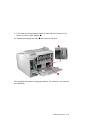
To verify the printer is operating properly before connecting it to your
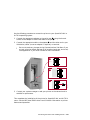
computer, press the power switch to the | (ON) position.
p
p
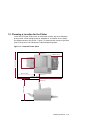
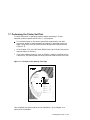
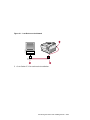
The indicator lights on the control panel flash momentarily, and after
the printer warms up (approximately 40 seconds) it generates a start-up
page, listing items such as communication settings and installed options
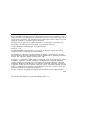
(Figure 1–3).
Go to Chapter 10 in your DEClaser 5100 Printer User’s Guide if the printer
does not power on correctly.
If you have additional options, such as SIMMs, a network interface card or
a disk drive, you should power off the printer and install them at this time.
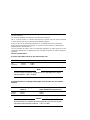
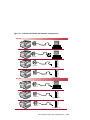
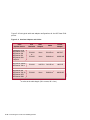
Figure 1–3 Example of the Start-Up Test Page
™
DEC
las
Large-capacity input tray installed
Network interface card installed
Hard disk installed
High resolution card installed
POSTSCRIPT
199999
0
510
er
Adobe PostScript™ Level 2
with DECimage™ enhancement
HP-PCL™ Level 5E emulation
®
Office printer #4
PostScript version
PostScript revision
2013.109
12
RAM size
6.0 MB
Serial communications port
interpreter
baud rate
PostScript
9600
Parallel communications port
interpreter
baud rate
AutoSelect
Centronics
Network communications port
interpreter
PostScript
PostScript
DSG-000578
LocalTalk communications port
interpreter
mode
The Digital logo is a trademark of Digital Equipment Corporation
Page design copyright 1991, 1993 Digital Equipment Corporation.
A
d
IT ob
C e
IT Za Ca
C
Ad Lu pf C slon
Bla obe bali han
c G n c
ITC koak aram Gra ery
on ph
d
Ne Avan
wC tG
entu ard
ry S e G
cho othi
olb c
ook
pDYW
Times
Tekton
Parisian
Formata
o
Barmen n
an
Kaufm
s
Litho tica
e
Helv no
ti
Pala er
ri
nue
Cou Ave
a
k
w
Par rican
e
rro
m
A jan a-Na ir
a
Tr vetic ven an
l
u
He So okm
C
o
IT C B
IT
This completes the testing section of the installation. Go to Chapter 2 to
continue the installation.
Installing the Printer 1–13