1
Installation
2
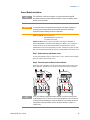
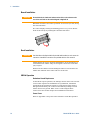
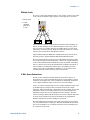
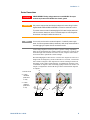
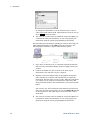
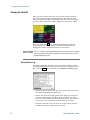
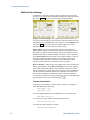
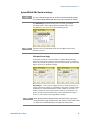
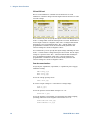
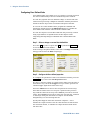
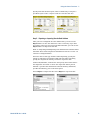
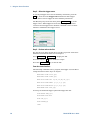
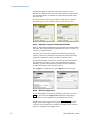
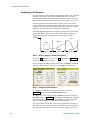
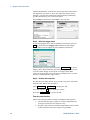
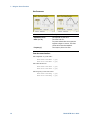
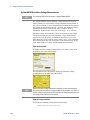
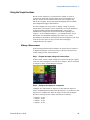
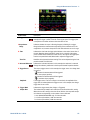
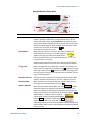
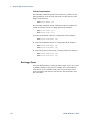
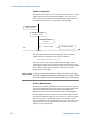
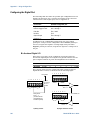
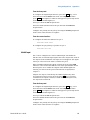
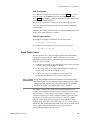
Step 3. Place the ring terminal onto the threaded BNC connector. Make sure
that the lock washer (3) is in place before installing the ring terminal.
Step 4. Tighten the hex nut onto the ring terminal.
Step 5. Attach the other end of the redundant ground wire to a convenient
earth ground point.
3
1
2
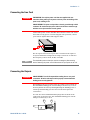
Connecting the Digital Port
NOTE
It is good engineering practice to twist and shield all signal wires to and from
the digital connectors. If shielded wire is used, connect only one end of the
shield to chassis ground to prevent ground loops.
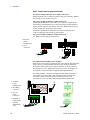
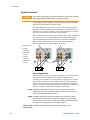
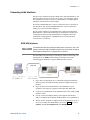
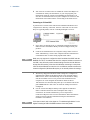
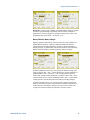
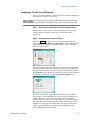
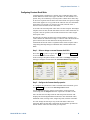
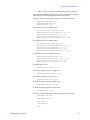
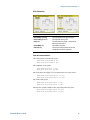
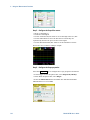
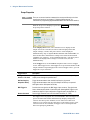
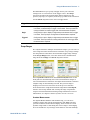
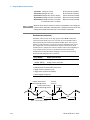
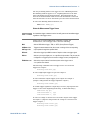
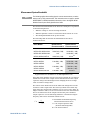
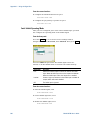
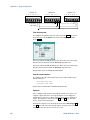
An 8-pin connector and a quick-disconnect connector plug are
provided for accessing the digital port functions. The connector plug
accepts wires sizes from AWG 14 to AWG 30. Wire sizes smaller than
AWG 24 are not recommended. Disconnect the connector plug to
make your wire connections.
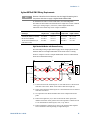
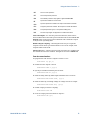
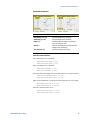
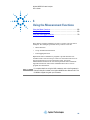
1. Insert wires
1
2
3
4
5
6
7
2
I
2. Tighten screws
3. Signal common
4. Digital I/O signals
5. FLT/INH signals
6. Output Couple
controls
+ -
1
3
4
5
6
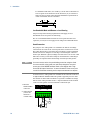
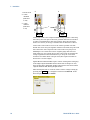
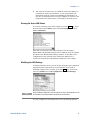
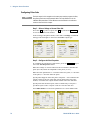
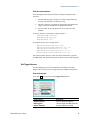
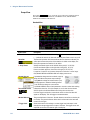
Information on configuring the digital port is found in Appendix C.
The electrical characteristics are described in Appendix A.
Model N6705 User’s Guide
45