1
5
Using the System Functions
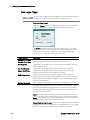
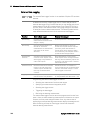
Check Meter View Measurement N6700 Mode to synchronize the
corresponding SCPI SENSe measurement settings to the Meter View
properties and vice versa. Refer to chapter 4 under “Meter Ranges and
Measurement Times” for details.
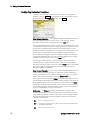
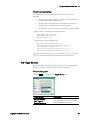
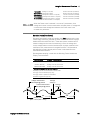
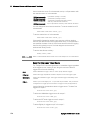
Front Panel Lockout
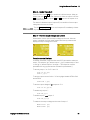
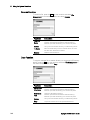
You can password-protect the front panel keys to prevent unwanted
control of the instrument from the front panel. The lock setting and
password is saved in non-volatile memory so that the front panel
remains locked even when AC power is cycled. To access the front panel
lockout function press the Menu key, scroll down and select Utilities,
then User Preferences, then Front Panel Lockout.
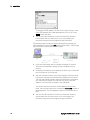
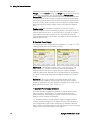
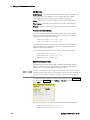
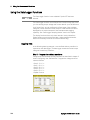
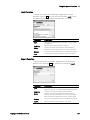
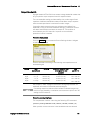
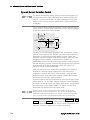
In the PIN text box, enter the numeric password that you wish to use to
unlock the front panel. Then click Enable Lock to lock the front panel
keys. A dialog prompting the user to unlock the front panel appears every
time a key is pressed. Enter the password to unlock the front panel.
NOTE
If the password is lost, the SYSTem:PASSword:FPANel:RESet command
can reset the front panel lockout password. Refer to the Programmer’s
Reference Help file on your Keysight N6705 Product Reference CD for
more information.
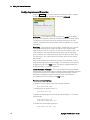
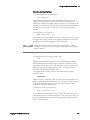
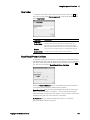
Clock Setup
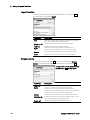
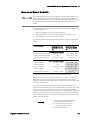
When shipped from the factory, the DC Power Analyzer’s clock is set to
Greenwich mean time. To access the clock function press the Menu key,
scroll down and select Utilities, then User Preferences, then Clock
Setup.
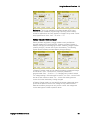
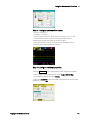
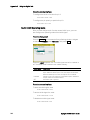
Select a Month from the dropdown list. Enter the Day, then Year.
Enter the Hour, Minute, and Second. The time becomes active when the
values are entered.
146
Keysight N6705 User’s Guide