1
3.
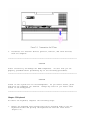
Disconnect all external devices (printer, monitor, and other devices)
from the computer.
>>>>>>>>>>>>>>>>>>>>>>>>>>>>>>>>>>>>>>><<<<<<<<<<<<<<<<<<<<<<<<<<<<<<<<<<<<<<<
CAUTION
Static electricity can damage the CMOS components. Be sure that you are
properly grounded before performing any of the following procedures.
>>>>>>>>>>>>>>>>>>>>>>>>>>>>>>>>>>>>>>><<<<<<<<<<<<<<<<<<<<<<<<<<<<<<<<<<<<<<<
CAUTION
Screws in this system are not interchangeable. As you remove screws, place
them with the component you removed. Damage may occur if you insert these
screws in the wrong place.
>>>>>>>>>>>>>>>>>>>>>>>>>>>>>>>>>>>>>>><<<<<<<<<<<<<<<<<<<<<<<<<<<<<<<<<<<<<<<
Chapter 5.5 Keyboard
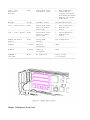
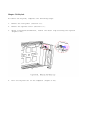
To remove the keyboard, complete the following steps:
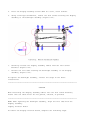
1.
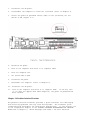
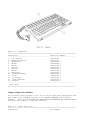
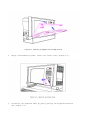
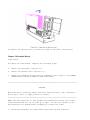
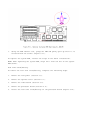
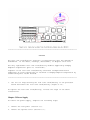
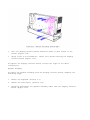
Remove the keyboard from storage position by pressing down on the two
keyboard latches and pulling the keyboard out from the front bezel
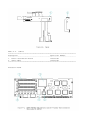
(Figure 5-2).