1
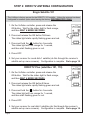
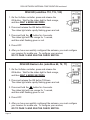
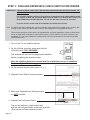
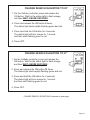
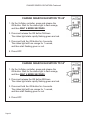
CHANGE SEARCH ELEVATION TO 25°
1. On the VuQube controller, press and release the
ON button. Wait for the status light to flash orange,
and then WAIT 4 MORE SECONDS.
2. Press and release the ON button 8 times.
The status light starts rapidly flashing green and red.
3. Press and hold the ON button for 4 seconds.
The status light will turn orange for 1 second,
and then start flashing green or red.
4. Press OFF.
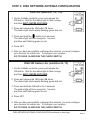
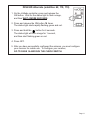
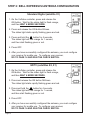
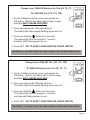
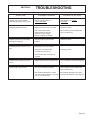
CHANGE SEARCH ELEVATION TO 37°
1. On the VuQube controller, press and release the
ON button. Wait for the status light to flash orange,
and then WAIT 4 MORE SECONDS.
2. Press and release the ON button 12 times.
The status light starts rapidly flashing green and red.
3. Press and hold the ON button for 4 seconds.
The status light will turn orange for 1 second,
and then start flashing green or red.
4. Press OFF.
CHANGE SEARCH ELEVATION-Continued on next page
Page 21