1
Interface (Ports & Jacks)
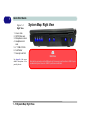
Ports and Jacks
Item
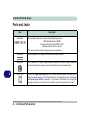
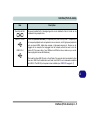
Card Reader
Description
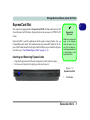
The card reader allows you to use the following digital storage cards:
MMC (MultiMedia Card) / RSMMC
SD (Secure Digital) / Mini SD / SDHC / SDXC
MS (Memory Stick) / MS Pro / MS Duo
Push the card into the slot and it will appear as a removable device.
A
DC-In Jack
Plug the supplied AC/DC adapter into this jack to power your computer.
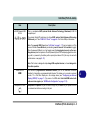
DisplayPort
The DisplayPort is a digital display interface standard that allows a digital audio/video
interconnect, between the computer and its external display or a home-theater system.
DVI-Out Port
The DVI-Out (Digital Visual Interface) Port is a video connector interface. This allows you to
connect an external monitor, TV or Flat Panel Display etc. as a display device (see “Configuring
an External Display (NVIDIA)” on page C - 7) by means of a DVI cable. If you are using an
older type of monitor you will need to use a converter to convert the signal from DVI to VGA.
A - 2 Interface (Ports & Jacks)