1
Amazon CloudFront (2012-05-05)
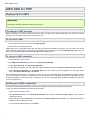
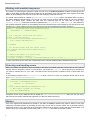
ReStructuredText and generated using Sphinx. Feel free to add some content to our documentation and send a
pull request to https://github.com/aws/aws-sdk-php. You can view our documentation sources at
https://github.com/aws/aws-sdk-php/tree/master/docs.
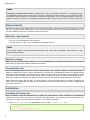
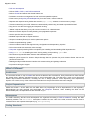
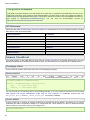
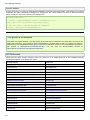
API Reference
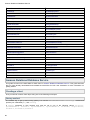
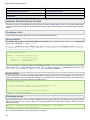
Please see the Amazon CloudFront Client API reference for a details about all of the available methods, including
descriptions of the inputs and outputs.
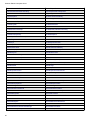
CreateCloudFrontOriginAccessIdentity
CreateDistribution
CreateInvalidation
CreateStreamingDistribution
DeleteCloudFrontOriginAccessIdentity
DeleteDistribution
DeleteStreamingDistribution
GetCloudFrontOriginAccessIdentity
GetCloudFrontOriginAccessIdentityConfig
GetDistribution
GetDistributionConfig
GetInvalidation
GetStreamingDistribution
GetStreamingDistributionConfig
ListCloudFrontOriginAccessIdentities
ListDistributions
ListInvalidations
ListStreamingDistributions
UpdateCloudFrontOriginAccessIdentity
UpdateDistribution
UpdateStreamingDistribution
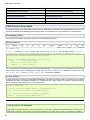
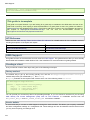
Amazon CloudFront (2012-05-05)
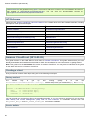
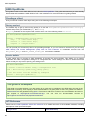
This guide focuses on the AWS SDK for PHP client for Amazon CloudFront. This guide assumes that you have
already downloaded and installed the AWS SDK for PHP. See Installation for more information on getting started.
Note: This guide is for the 2012-05-05 API version of Amazon CloudFront. You may also be interested in the guide
for the latest API version of Amazon CloudFront.
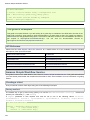
Creating a client
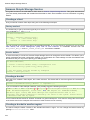
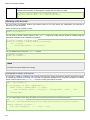
First you need to create a client object using one of the following techniques.
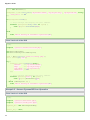
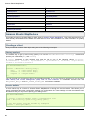
Factory method
The
easiest
way
to
get
up
and
running
quickly
is
to
use
the
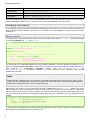
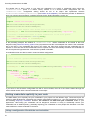
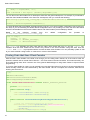
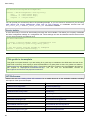
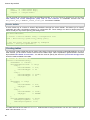
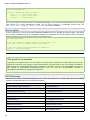
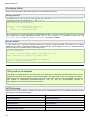
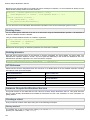
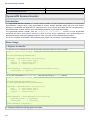
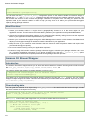
Aws\CloudFront\CloudFrontClient::factory() method and provide your credentials (key and secret).
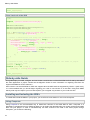
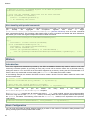
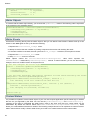
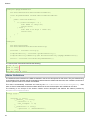
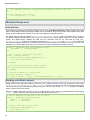
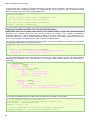
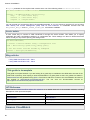
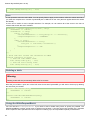
use Aws\CloudFront\CloudFrontClient;
$client = CloudFrontClient::factory(array(
'key'
=> '<aws access key>',
'secret' => '<aws secret key>',
'version' => '2012-05-05'
));
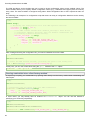
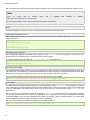
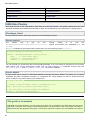
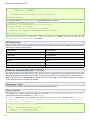
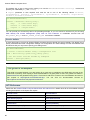
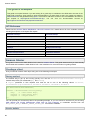
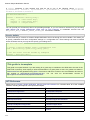
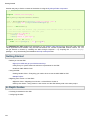
You can provide your access keys like in the preceding example, or you can choose to omit them if you are using
AWS Identity and Access Management (IAM) roles for EC2 instances or credentials sourced from the
AWS_ACCESS_KEY_ID and AWS_SECRET_ACCESS_KEY environment variables.
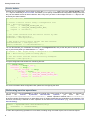
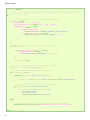
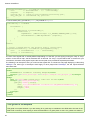
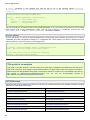
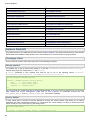
Service builder
55