1
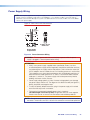
Paging sensitivity adjustment
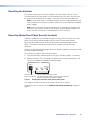
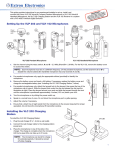
When the Priority Page Sensor, or the PPS 35 microphone interface, or the Priority Page
Sensor kit is connected to the Priority sensor input on the rear panel, the HDMI output
audio, amplified and line out audio outputs are muted during a system announcement.
The yellow LED indicator lights up as an announcement or page is made over the facility
PA system.
The Priority Page Sensor kit works with 25V/70V and 4/8 ohms paging systems.
The PPS 35 works with any public address system speakers.
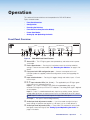
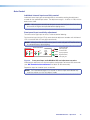
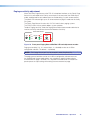
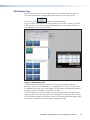
To adjust Paging sensitivity, rotate the Paging Sensor adjustment encoder clockwise to
increase sensitivity and counter-clockwise to decrease sensitivity.
AUDIO LEVEL ADJUST
INPUT
PEAK
VOICELIFT
PEAK
NORMAL
NORMAL
SIGNAL
SIGNAL
PAGING
SENSOR
SENSITIVITY
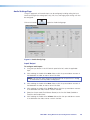
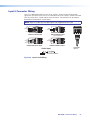
Figure 10. Front panel Paging Sensor Min/Max LED and adjustment encoder
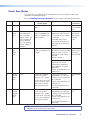
Paging sensor delay (1-8, in 1 second steps, 0 = disabled) can be set via SIS or
configuration software. The default = 3 (enabled).
NOTE: The Paging Sensor port must be enabled in order to operate fully.
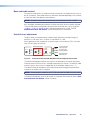
The paging sensor hold time can be set via SIS or configuration software to ensure
the amplified and line out audio outputs stay muted for a specific duration after an
announcement or page is finished. This is to prevent the audio to be un-muted if the
person pauses or stops talking while making the announcement or page.
PVS 405D Switcher • Operation
15