1
!install_ar160205.book
16 ページ
2003年5月26日 月曜日 午後12時9分
TROUBLESHOOTING
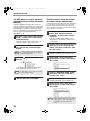
The MFP driver cannot be correctly
installed by Plug and Play (Windows
2000/XP)
In Windows 2000/XP, if the MFP driver cannot be
correctly installed by Plug and Play (for example, Plug
and Play takes place without copying the required files
for the MFP driver installation), follow these steps to
remove unneeded devices and then install the MFP
driver as explained in "INSTALLING THE
SOFTWARE" (p. 4).
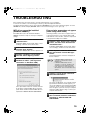
1
Another printer is using the parallel
port (when using a parallel cable)
If another printer is using the parallel port and printing
is not possible using the machine, follow the steps
below to change the port setting of the other printer
driver, and make sure that the port of the printer driver
for the machine is set to LPT1.
1
Click the "start" button, click "Control
Panel", and then click "Performance
and Maintenance".
In Windows 95/98/Me/NT 4.0/2000, click the
"Start" button, select "Settings", and then click
"Control Panel".
In Windows 2000, click the "Start" button, select
"Settings", and then click "Control Panel".
2
Click "System", click the "Hardware"
tab, and click the "Device Manager"
button.
Note
3
In Windows 2000, double-click the "System"
icon, click the "Hardware" tab, and click the
"Device Manager" button.
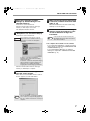
Click the
devices".
icon beside "Other
Click the "start" button, click "Control
Panel", click "Printers and Other
Hardware", and then click "Printers
and Faxes".
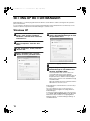
2
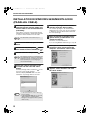
Click the icon of the printer driver for
which you wish to change the port
setting, and select "Properties" from
the "File" menu.
3
Click the "Ports" tab.
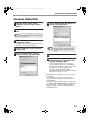
4
Select "FILE:" in the "Print to the
following port" list box, and click the
"OK" button.
5
Click the "SHARP AR-XXXX" printer
driver icon and select "Properties"
from the "File" menu.
6
Click the "Ports" tab.
7
Select "LPT1" in the "Print to the
following port" list box, and click the
"OK" button.
In Windows 95/98/Me, click the "Details" tab.
If "AR-XXXX" and "SHARP AR-XXXX" appear,
select and delete both of these items.
Note
4
If "Other devices" does not appear, close the
"Device Manager" window.
Install the software as explained in
"INSTALLING THE SOFTWARE".
In Windows 95/98/Me, click the "Details" tab.
Note
16
In the event that you need to use the other
printer, repeat the above steps to set the port
of the machine to "FILE:", and change the
port setting of the other printer back to
"LPT1".