1
Getting connected wirelessly
English
Use your device’s built-in Wi-Fi capability to connect to a wireless network.
This enables you to wirelessly access websites or Internet-related
applications.
To use the Wi-Fi function:
1. From the home screen, tap Setting > Wi-Fi networks > Set up.
2. The device searches for available networks.
3. From the list of networks, tap the network that you want to connect to.
4. If required, key in the password or passkey, then click Try.
Tap the password field to display the virtual keyboard. Use the virtual
keyboard to key in the network’s password.
Adding/Editing notes
To add/edit a note:
1. From the home screen, tap Notes.
2. Do any of the following:
• Tap Add new note to create a new note.
• Tap an existing note to edit it, or tap
to manage an existing note.
3. Tap an icon in the function bar to use its corresponding function.
4. Tap Save to save the changes.
• If you device is connected to the Internet, tap
your notes to the Evernote website.
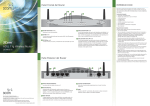
Function bar
> Add to Evernote to upload
• Before uploading your notes to the Evernote website, obtain a free Evernote ID
at http://www.evernote.com, and then go to Setting > Service accounts > Set
up to set up the Evernote account in your device.