1
MICROBOARDS TECHNOLOGY, LLC
PF-PRO Disc Printer
TABLE OF CONTENTS
Introduction .......................................................................................................................... 5
What’s Included................................................................................................................. 5
System Requirements ....................................................................................................... 6
Assembly and Installation..................................................................................................... 6
Assembly Instructions ....................................................................................................... 6
PF-Pro Disc Printer Assembly ........................................................................................ 6
Installing Ink Cartridges and Print Heads .......................................................................... 7
Supported Ink Cartridges ............................................................................................... 7
Loading / Replacing Ink Cartridges ................................................................................ 7
Installing / Replacing Printheads .................................................................................... 7
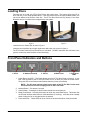
Loading Discs.................................................................................................................... 8
Front Panel Indicators and Buttons ................................................................................... 8
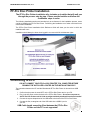
PF-Pro Disc Printer Installation ......................................................................................... 9
Connecting to a PC ........................................................................................................... 9
Windows 7 and Vista Hardware Installation .................................................................... 10
Windows XP Hardware Installation ................................................................................. 10
Printing Preferences........................................................................................................... 11
Color Tab ........................................................................................................................ 11
Advanced Tab ................................................................................................................. 12
Diameter Settings Tab..................................................................................................... 12
Alignment Tab ................................................................................................................. 13
Print Quality Tab.............................................................................................................. 13
About Tab........................................................................................................................ 13
The Microboards Printer Toolbox ....................................................................................... 14
Print Test Page ............................................................................................................... 14
Align the Printheads ........................................................................................................ 14
Clean the Printheads....................................................................................................... 15
Printhead Maintenance ................................................................................................ 15
Ink Level.......................................................................................................................... 15
Pen Health ...................................................................................................................... 16
Using SureThing Disc Labeler............................................................................................ 16
Creating New Labels .................................................................................................... 16
Printing Labels.............................................................................................................. 16
Software Re-Installation ..................................................................................................... 17
Troubleshooting ................................................................................................................. 19
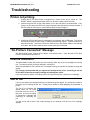
Printer not printing ........................................................................................................... 19
“No Printers Connected” Message .................................................................................. 19
Low Ink indication............................................................................................................ 19
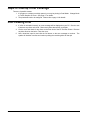
Out of Ink......................................................................................................................... 19
Gaps or Overlap in Ink Coverage .................................................................................... 20
Disc Loading error ........................................................................................................... 20
Printing Specifications ........................................................................................................ 21
Technical Support .............................................................................................................. 21
3