1
9 Ethernet configuration panel
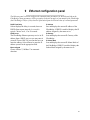
The Ethernet panel is used to configure the communication parameters for the Ethernet link on the
FibreBridge. Some parameters will be grayed out if they do not apply to your model of the FibreBridge
(the FibreBridge 1180) or if they have no effect based upon the selected value of a related parameter.
DHCP Fixed Delay
IP Address
Selects/displays the delay, in seconds, between
DHCP client request intervals. 0 seconds is
typical. Choices are 0, 15 or 30 seconds.
Sets and displays the current IP address of the
FibreBridge. If DHCP is enabled, displays the IP
address assigned by the name server.
DHCP Server
IP Gateway
The FibreBridge Ethernet port may receive its IP
address from a DHCP server or you may enter it
yourself. Choose DHCP if you want the server to
enter the address. Select Manual to enter the IP
address yourself in the appropriate field.
Sets and displays the current IP Gateway of the
FibreBridge.
Ethernet Speed
IP Subnet Mask
Sets and displays the current IP Subnet Mask of
the FibreBridge. If DHCP is enabled, displays the
Subnet Mask assigned by the name server.
Choose 10Base-T, 100Base-T or automatic
detection.
16