1
2. System Management
Menu Bar
System View
Sessions
Logo
System
List
Viewing
Window
Group
List
Status
Area
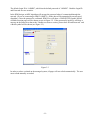
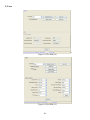
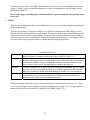
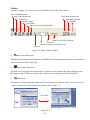
Figure 2-1
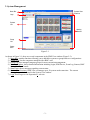
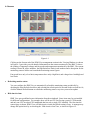
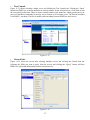
As shown in Figure 2-1, there are several components in the IPMI View window (Figure 2-2):
1) Menu Bar: contains functions allowing you to add/delete systems or groups and save configurations.
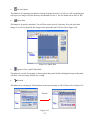
2) System List: lists the computers managed with a BMC card.
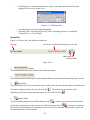
3) Group List: lists managed computer groups for more convenient management.
4) Viewing Window: shows detailed information including Login, IPMI Device, Event Log, Sensors, BMC
Setting and Text Console.
5) Status Area: shows messages regarding current status.
6) System View Sessions: IPMI View can manage up to 20 systems at the same time. The current
managed system is indicated in the System View window.
7) Logo: Press Logo to visit Supermicro’s web site.
-3-