1
Console Keypad
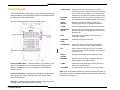
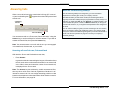
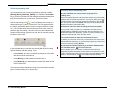
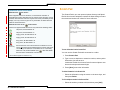
The console keypad is used for dialing, call processing and accessing
3300 ICP features. You can adjust the slope of the keypad and detach
(or attach) it from the handset cradle.
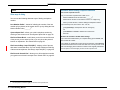
The keys on the keypad are arranged in three groups:
Volume and Mute Keys – used to increase (+) or decrease (-) the
ringer volume and the volume of the earpiece in the handset or
headset. The Mute key turns the microphone in the headset or
handset on or off.
Call-processing Keys – fixed-function keys that are used to answer
and manage calls. They include Retrieve, Hold, Answer Cancel,
Recover and Release.
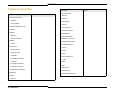
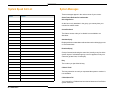
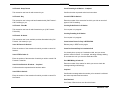
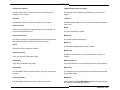
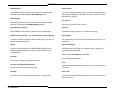
Firmkeys -- contains programmable keys that provide access to the
following console features and system services:
6 ♦ Getting Started
SCRATCH PAD
Displays an electronic notepad where you can type
messages from callers, reminders, questions, or anything
else you would write on notepaper. You can also use the
Scratch Pad to store telephone numbers for speed dialing.
BULLETIN
BOARD
Displays an area where you can type messages that can
be viewed from all other 5550 IP Consoles on the system.
GUEST
SERVICE
Displays room status information and softkeys for
managing guest services in a Hotel/Motel installation.
PAGER
Accesses paging equipment for making announcements.
EMERGENCY
CALLS
Raises an alarm at the console when an extension user
places an emergency call, and identifies the extension that
placed the call.
HELP
Opens Help, which provides information to help you
accomplish your tasks.
OPERATOR
MODE
Re-displays the main console screen.
PHONE BOOK
Allows you to find and call an extension by typing the
user’s name, extension number or other information.
BLF
Used to obtain the status (busy, idle, etc.) of selected
extensions and lines and for rapid dialing and transfers to
those extensions.
TRUNK
STATUS
Displays information about trunk (outside line) usage.
MESSAGE
Displays softkeys for setting or clearing the Message
Waiting indicator on the dialed extension.
TONES
Sends subsequently dialed digits as tones (used when
dialing into voicemail systems.)
VOICE MAIL
Transfers a recall to an extension user’s voicemail box.
Note: Some of the features shown are optional and may not appear on
your console keypad. For keypad programming information, see Firmkey
Programming on page 35.