1
Installing
4.4 Installing the terminal modules TM-C for COMPACT modules
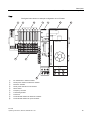
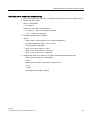
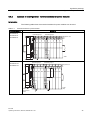
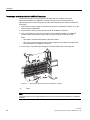
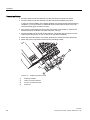
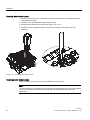
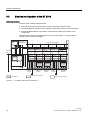
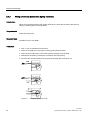
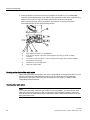
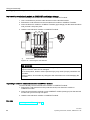
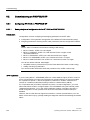
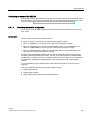
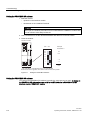
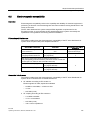
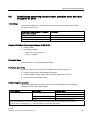
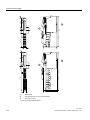
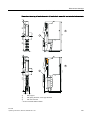
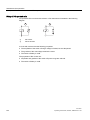
Removing a terminal module for COMPACT modules
The terminal module is wired, and there are other terminal modules to the right.
The terminal module for COMPACT modules can only be removed when there is
approximately 8 mm space between it and the next terminal module (shift the modules if
necessary).
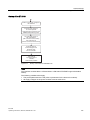
1. Switch off the supply voltage on the terminal module for COMPACT modules or for the
power module, if applicable.
2. Disconnect the wiring on the terminal module for COMPACT modules.
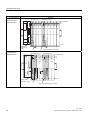
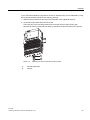
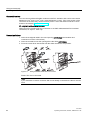
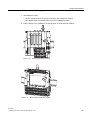
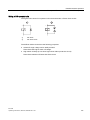
3. Use a screwdriver to press down the slider on the interface module for COMPACT
modules until the mechanism stops, then move the terminal module to the left.
Note:
– The slider is located underneath the terminal module.
– This step is not required if no other terminal modules are located to the right of the
terminal module for COMPACT modules.
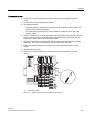
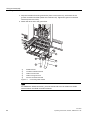
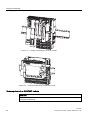
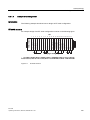
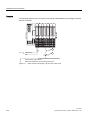
4. Press down on the slider while taking the terminal module off the mounting rail.
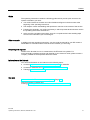
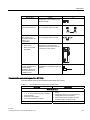
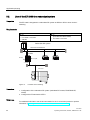
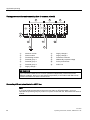
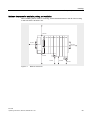
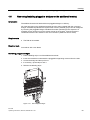
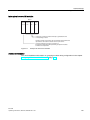
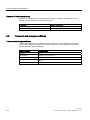
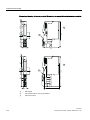
Figure 4-6
①
Removing a terminal module for COMPACT modules
Slide
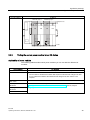
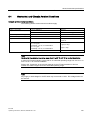
Note
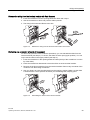
The terminal box can be replaced without first removing the terminal module for COMPACT
modules.
58
ET 200S
Operating Instructions, 08/2008, A5E00515771-06