1
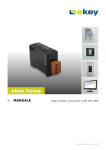
ekey® TOCA Solutions
1 Introduction
The ekey® fingerprint access system is designed for controlling:
access through doors equipped with electrical strikes or magnetic locks;
operation of alarm security systems configured with momentary key-switch;
garage or gate door operated by an electrical opener;
any device that is operated by an on/off switch;
or, any transition base application that requires user authentication or identification
ekey® fingerprint access system replaces the need for carrying keys, cards, fobs, or even the need for
memorizing codes or passwords. ekey’s unique technology integration solution relieves owners, and
users as well, from the frustrations of memorizing numerous codes, the inconvenient of carrying keys, or
any other token...as all can be replaced by one own finger.
In a typical installation, using the ekey system entail enrolling one, two, or three fingers depending on
the ekey system type being used and the access rights and authorization level given to each user as
shown in the following example :
1. First Finger of each user - controls a Door Electric Strike
2. Second Finger of each user - controls arming/disarming the security System
3. Third Finger of each user - controls arming/disarming the security System but with duress silent
alarm to the monitoring service.
The ekey® TOCA can be integrated with various applications and systems such as smart home control,
engineering control system, time & attendance, etc. the integration is possible through two different
options:
Basic Relay Monitoring – where the 3rd party application or system monitors the ekey relay for
momentary status change between open/close. The 3rd party uses this event of status change to
initiate the appropriate sequence of commands and logic.
Advance Software integration – where the 3rd party application or system retrieves or receives
users’ activity and logging information through different means (text file, ODBC, or UDP)
depending on the type of ekey system being used.
2 A Brief Description of the Product
ekey fingerprint access system is called TOCA and it consists mainly of two basic required components
plus additional optional pieces depending on the specific models
A fingerprint scanner (as an outside unit) for generating and
matching key code templates that represents the
fingerprints captured by the thermal line sensor scanner.
The scanner is surface mount for walls or flush mount
recessed into the door.
A control unit (as an inside unit) that hosts and control set of
normal open / normal close dry contacts (Form C switch)
Additional components and accessories that varies based on
the specific product or option needed.
Operating and using ekey® fingerprint access system is a two step process as follows:
The first step, is enrolment (a one time procedure for each finger), which involves swiping a
finger over the ekey scanner to extract and store a binary code template (No image is stored)
that represents the fingerprint’s unique biometric features. This and other stored codes for other
fingerprints represents the authorized users whom the system
can recognize to grant them access upon swiping their finger
during the second step.
The second step is identification, which involves a user
swiping his/her finger over the outside fingerprint scanner to
extract a binary code template (No image is stored) and matching it against the previously stored
code templates. If a match is found, access is granted by closing/opening the designated relay
that in turn activates the connected electrical device such as a an electrical strike for a door, a
zone for an alarm system, or opener for garage or gate.
The ekey® TOCA product line consists of two families:
ekey® TOCAhome – is a standalone keyless entry system that consists of one weather resistant
fingerprint scanner and one control unit providing 1-to-many matching for up to 99 fingers. The
system comes in three different configurations: a) 1 relay; b) 3 relays; c) 3 relays with optional
computer program for added functionality.
ekey® TOCAnet – is a networkable keyless system that consists of one or more biometric access
systems networked together and controlled by client/server computer program. It provides
centralized management, administration, and access rules definition for any group of users.
Subject to optical and technical changes without notice; No liability assumed for setting and printing errors.
ekey TOCA Solution - F1.doc
Call (941) 782-1227 or visit www.ekeyUSA.com
Page
2
3 TOCA Solution Options & Description
With ekey® TOCA product line you could secure access to any location through three different options
depending on the level of control required, importance of each requirement, computer/network intensity
and availability, and last but not least investment budget.
ekey® TOCA solution consists of the three options as explained next.
1. Option 1 – ekey® TOCAhome: is the simple standalone keyless entry system with no audit trail
(comes with 1 or 3 relays).
2. Option 2 – ekey® TOCAhome pc: is the simple standalone keyless system that provides audit
trail while connected to a separate computer through a USB interface.
3. Option 3 – ekey® TOCAnet M: is the advanced keyless networkable entry system that allows
higher level of control and management.
Subject to optical and technical changes without notice; No liability assumed for setting and printing errors.
ekey TOCA Solution - F1.doc
Call (941) 782-1227 or visit www.ekeyUSA.com
Page
3
3.1 Option 1 - ekey® TOCAhome
TOCAhome is the basic and simple standalone solution that consists of one weather resistant fingerprint
scanner and one control unit providing 1-to-many matching for up to 99 fingers. The system comes in
two different configurations 1 relay and 3 relays. The TOCAhome with 3 relays can have only one
scanner controlling all 3 relays. This is accomplished by assigning different finger for each relay. For
example, index finger for relay 1, middle finger for relays 2, ring finger for relay 3. So you can deploy
TOCAhome 3 system to control a door with the index finger, alarm system with the ring finger, and
duress silent alarm with the middle finger!
Each TOCAhome is completely standalone and separate from any other TOCAhome system. Each user
need to be enrolled separately on each system by swiping his/her finger on each scanner to be enrolled
and granted access to the related door. Owner adds or deletes a user using a built-in 4 button keypad;
there is no need for a computer or a technician for the operation or programming of the system.
This option consists of the following items:
QTY
Only 1
per
system
Description
Picture
Fingerprint Scanner – (used for enrollment & authentication)
Is an outside unit that has dual purpose: a) user enrollment; b)
user authentication
It should be installed in a location that is visible and easy
accessible to users.
The unit is spray-waterproof, and as such the mounting location
should provide adequate protection against heavy rain, snow
showers, and intense sunshine exposure.
To ensure proper operation of the fingerprint Scanner, it should
be installed at the proper height from the ground to the upper
edge of the Scanner (53” for standard scanner; 62” for inetgra
scanner).
The fingerprint scanner is connected to the control unit by 4
conductors (2 data and 2 power). Data and power conductors
should not be run in the same cable. Please refer to the wiring
diagram for more info.
Scanner is available in black that is actually anthracite color.
Also, white color Scanner is available as special order only.
Only 1
per
system
Control Unit - (used for relay control and programming)
Is an inside unit that has dual purpose: a) system programming;
b) relay control
It should be installed away in a separate and controlled location to
prevent tampering.
The control unit can be order with 1 or 3 contact closures each
through normal open/close relay
One or Three
Relays
The control unit provides contact closures with normal open/close
relay. it can be ordered with either 1 or 3 relays as follows:
For system with 3 relays option:
Subject to optical and technical changes without notice; No liability assumed for setting and printing errors.
ekey TOCA Solution - F1.doc
Call (941) 782-1227 or visit www.ekeyUSA.com
Page
4
Each relay is controlled by different finger that is assigned
during the enrollment process of the finger.
A single Scanner control all relays…Only one scanner can be
connected to the control unit.
Each relay can be connected to any electrical device or lock such
as door strike, magnetic lock, garage door, etc. (note: these are
acquired separately and not supplied by ekey® TOCA system)
Only 1
per
system
control unit with
different housing
Power Supply –
The system is shipped with a 9 VAC power supply
Power is applied to the Control Unit (inside unit).
Fingerprint Scanner (outside unit) is powered by the control Unit
(inside unit) using 2 conductors cable. Data and power
conductors should not be run in the same cable. Please refer to
the wiring diagram for more info.
9 volt AC
If battery operation is desired, the system can operate on
regulated 12 VDC. Such 12 VDC is to be supplied separately.
Sample Wiring diagram for TOCAhome, TOCAhome 3, and TOCAhome pc
Subject to optical and technical changes without notice; No liability assumed for setting and printing errors.
ekey TOCA Solution - F1.doc
Call (941) 782-1227 or visit www.ekeyUSA.com
Page
5
3.1.1 TOCAhome Integration
The ekey® TOCAhome (3, pc, integra) can be integrated with various applications and systems such as
smart home control, engineering control system, time & attendance, etc. the integration is possible
through two different options:
Basic Relay Monitoring – where the 3rd party application or system monitors the ekey relay for
momentary status change from/to open/close. The 3rd party uses the event of status change to initiate
the appropriate sequence of commands and logic.
Advance Software integration – where a UDP converter that is connected to a TOCAhome system
generates an information (userID, fingerID, name, relay, etc) every time a finger is swiped over the
scanner as shown in the sample sniff screen print out below.
in case of authentication, the UDP converter sends information using UDP protocol with the following packet
structure:
typedef struct {
unsigned long nAddr; // address of module addr = (((yy*53+ww)<<16) + ssss) | 0x70000000
// serialno of module:800xxxwwyyssss
unsigned char nType; // 0 -> no enter, 2 -> enter
unsigned char nUserID; // userid from ekey TOCAhome pc
unsigned char nFinger; // fingerid from ekey TOCAhome pc
unsigned char nRelay; // relay from ekey TOCAhome pc
unsigned int sName; // Name of user in unicode
} EKEYUDP, *PEKEYUDP;
Subject to optical and technical changes without notice; No liability assumed for setting and printing errors.
ekey TOCA Solution - F1.doc
Call (941) 782-1227 or visit www.ekeyUSA.com
Page
6
3.2 Part Numbers for Ordering TOCAhome
ekey TOCAhome is suitable for the basic standalone application where scheduling, logs, and centralized
management are not needed or desired. Each user need to be enrolled on each TOCAhome systemOnce
a user is enrolled in TOCAhome he/she has access 24/7 with no restrictions.
To order any of TOCAhome (1, 3, pc) systems, you need to decide mainly on the scanner type (surface
or recess mount), number of relays (1 or 3), and color (black or white) as shown in the following table.
PART NUMBER
MODEL
SCANNER TYPE
DESCRIPTION
BLACK WHITE
Standard Scanner
(Surface Mount)
130001
130194
ekey® TOCAhome (1 Relay)
130002
130195
ekey® TOCAhome 3 (3 Relay)
130154
130198
ekey® TOCAhome pc
130411
-
ekey® TOCAhome integra (1 Relay)
130412
-
ekey® TOCAhome 3 integra (3 Relay)
130413
-
ekey® TOCAhome pc integra
TOCAhome
Integra Scanner
(Flush Mount)
Additional
Components
100460
ekey® Converter UDP
Subject to optical and technical changes without notice; No liability assumed for setting and printing errors.
ekey TOCA Solution - F1.doc
Call (941) 782-1227 or visit www.ekeyUSA.com
Page
7
3.3 Option 2 - ekey® TOCAhome pc
TOCAhome pc has the same function and features as the basic TOCAhome; however this system
provides the following additional functionality through a computer program:
Assign name to users
Assign names to each of the three relays
adjusting relay open time in increments of seconds up to 244 sec
designate one of the three relays to activate when scanner fails to authenticate a user’s
fingerprint
detail audit trail while connected to the computer and limited activity list while not connected to
the computer
This option consists of the following items:
QTY
Only 1
per
system
Description
Picture
Fingerprint Scanner – (used for enrollment &
authentication)
Is an outside unit that has dual purpose: a) user enrollment; b)
user authentication
Is an outside unit that should be installed in a location that is
visible and easy accessible by users.
The unit is spray-waterproof, and as such the mounting
location should provide adequate protection against heavy rain,
snow showers, and intense sunshine exposure.
To ensure proper operation of the fingerprint Scanner, it should
be installed at the proper height from the ground to the upper
edge of the Scanner (53” for standard scanner; 62” for inetgra
scanner).
The fingerprint scanner is connected to the control unit by 4
conductors (2 data and 2 power). Data and power conductors
should not be run in the same cable. Please refer to the wiring
diagram for more info.
Scanner is available in black that is actually anthracite color.
Also, white color Scanner is available as special order only.
Only 1
per
system
Control Unit - (used for rely control & basic programming)
Is an inside unit that has dual purpose: a) relay control; b)
basic system programming (in addition to the computer
program)
Is an inside unit that is installed away in a separate location
preventing tampering.
The control unit provides 3 contact closures each through
normal open/close relay.
Each of the three relays is
Controlled by different finger that is assigned during the
enrollment process.
Possible to name and adjust opening time.
control unit with
different housing
A single Scanner controls all relays…Only one scanner can
Subject to optical and technical changes without notice; No liability assumed for setting and printing errors.
ekey TOCA Solution - F1.doc
Call (941) 782-1227 or visit www.ekeyUSA.com
Page
8
be connected to the control unit.
Each relay can be connected to any electrical device or lock
such as door strike, magnetic lock, garage door, etc. (note:
these are acquired separately and not supplied by ekey® TOCA
system)
Only 1
per
system
Power Supply –
The system is shipped with a 9 VAC power supply
Power is applied to the Control Unit (inside unit).
Fingerprint Scanner (outside unit) is powered by the control
Unit (inside unit) using 2 conductors cable. Data and power
conductors should not be run in the same cable. Please refer
to the wiring diagram for more info.
If battery operation is desired, the system can operate on
regulated 12 VDC. Such 12 VDC is to be supplied separately.
Only 1
per
system
USB/RS-485 Cable and Converter –
For interfacing control unit with the computer using USB/RS485 converter.
On the computer side the connection is USB cable.
On the Control Unit side the connection is RS-485.
Refer to previous TOCAhome, TOCAhome 3, and TOCAhome pc
sample Wiring diagram.
Only 1
per
system
Administration Interface program –
A window based user interface that allows user addition,
deletion, and audit trail reporting.
The computer program can be used for assigning users names,
selecting fingers to enroll, defining relay names, adjusting relay
open time and generate audit trail while connected to a
computer through a USB/RS-485 interface.
The format of the audit trail is generated by the system and
written to CSV file depends on the control unit connection
status with the computer as shown in the Sample Audit Trail
below:
If the control unit is online, then date, time, user, and
access details are reported.
If the control unit is offline, then limited info is reported
which consist of user number, enrolled finger number,
action status.
Subject to optical and technical changes without notice; No liability assumed for setting and printing errors.
ekey TOCA Solution - F1.doc
Call (941) 782-1227 or visit www.ekeyUSA.com
Page
9
TOCAhome pc Sample Audit Trail in CSV File
On-line
Offline
97;unbekannt
;F01;COM4;10/16/2005 1:57:17 PM;O0
01;F01;not matched
02;Hassan;F07;com4crt;10/16/2005 2:13:10 PM;O1
01;F01;not matched
02;Hassan;F06;com4crt;10/16/2005 2:13:39 PM;O0
06;F07;enrolled
98;unbekannt
;F01;COM6;10/18/2005 10:26:28 AM;O1
06;F07;matched
04;Georg;F07;COM6;10/18/2005 10:27:33 AM;O0
05;F01;matched
98;unbekannt
;F01;COM6;10/18/2005 10:28:53 AM;O1
95;F07;not matched
09;Dean;F08;COM7;10/20/2005 12:41:15 PM;O0
04;F01;matched
11;gg;F08;COM6;10/28/2005 4:29:12 PM;O0
03;F01;matched
06;t;F01;COM6;10/28/2005 4:32:10 PM;O0
02;F01;not matched
95;Donna;F04;COM6;11/9/2005 12:13:07 PM;O1
01;F01;matched
95;Donna;F04;COM6;11/9/2005 12:13:35 PM;O1
02;F01;enrolled
95;Donna;F04;COM6;11/9/2005 12:13:41 PM;O1
02;F01;matched
95;Donna;F08;COM6;11/9/2005 12:16:04 PM;O2
01;F01;matched
94;Hassa;F07;COM6;11/9/2005 6:46:16 PM;O1
01;F01;not matched
94;Hassa;F08;COM6;11/9/2005 6:46:23 PM;O2
95;F08;not matched
01;Rory;F07;COM6;11/9/2005 6:47:20 PM;O1
01;F01;not matched
94;Hassa;F06;COM6;11/15/2005 11:15:56 AM;O0
94;F08;not matched
01;John;F03;COM6;11/15/2005 11:18:12 AM;O1
02;F01;not matched
94;Hassa;F07;COM6;11/30/2005 12:01:07 PM;O1
93;F01;not matched
94;Hassa;F07;COM6;11/30/2005 12:01:52 PM;O1
94;F07;matched
07;Luis;F06;COM6;11/30/2005 12:04:16 PM;O1
95;F07;not matched
3.3.1 Part Numbers for Ordering TOCAhome PC
Please refer to 3.1.1 Part Numbers for Ordering TOCAhome
Subject to optical and technical changes without notice; No liability assumed for setting and printing errors.
ekey TOCA Solution - F1.doc
Call (941) 782-1227 or visit www.ekeyUSA.com
Page
10
3.4 Option 3 - ekey® TOCAnet M
ekey® TOCAnet is the networkable version of the system that consists of multiple sets each with
weather resistant fingerprint scanner/s
(outside unit) and one control unit (inside unit)
providing 1-to-many matching for up to 200
fingers at each scanner. Inside and outside
units are connected on RS485 serial bus to
LAN/RS485 converter. The converter is
connected to the LAN using RJ45 plug. The
system architecture is client/server that allows
any local/remote computer on the LAN/WAN to
access it and managed it based on a defined
security level.
A user has to swipe his/her finger on a USB
Scanner connected to computer for enrolled.
The generated fingerprint template is stored at
central server and then distributed to each
Scanner in the network based on access rights.
a
In addition to the ekey basic special features, the network version TOCAnet, offers features such as
•
Door Man or Secretary Mode - an icon in the Windows taskbar (system tray) allows
activation of any relay (to open a door for example) right from the computer.
•
Single/Dual Authorization – each system can be configured to activate its relays with
single finger, two fingers of the same person, or two fingers from two different users (for
high security applications).
•
Misuse prevention - After 10 consecutive unauthorized swipes the system blocks itself
for 40 seconds, indicated by a red/orange blinking LED.
•
Time Schedule – restrict users’ access time to a specific time period and during a specific
day of the week and for a specific system by the simple drag and drop
•
Remote Access – through a LAN or VPN or WAN network, remote access and
management of the system is possible for adding/deleting/changing users, terminal, or
system configuration
•
Centralized Management – Users and terminals are managed by a client program that
includes activities such as:
•
adding/deleting, activating/deactivating users or terminals
Fingerprints are captured through USB fingerprint scanner and distributed to each
scanner or group of scanners in the system depending on assigned access rights
Logging – Activity logs are reported in real-time while scanner is online with the server;
otherwise it is captured and maintained locally at each scanner until communication is
restored
This option consists of the following items:
Subject to optical and technical changes without notice; No liability assumed for setting and printing errors.
ekey TOCA Solution - F1.doc
Call (941) 782-1227 or visit www.ekeyUSA.com
Page
11
QTY
1 per
control
unit
Description
Picture
Fingerprint Scanner - (used for authentication only)
Is an outside unit that should be installed in a location that is
visible and easy accessible to users.
The unit is spray-waterproof, and as such the mounting location
should provide adequate protection against heavy rain, snow
showers, and intense sunshine exposure.
To ensure proper operation of the fingerprint Scanner, it should be
installed at the proper height from the ground to the upper edge of
the Scanner (53” for standard scanner; 62” for inetgra scanner).
The fingerprint scanner is connected to the control unit by 4
conductors (2 data and 2 power). Data and power conductors
should not be run in the same cable. Please refer to the wiring
diagram for more info.
Scanner is available in black that is actually anthracite color. Also,
white color Scanner is available as special order only.
1 per
system…
more
systems
can be
added as
needed
Control Unit – (used for relay control)
Is an inside unit that is installed away in a separate location
preventing tampering.
The control unit provides 3 contact closures each through normal
open/close relay.
Each of the three relays is
Controlled by different finger that is assigned during the
enrollment process. This allows a single scanner to control all
relays.
Possible to name and adjust opening time.
If needed and depending on the application specifics, each
relay can be controlled by and have separate scanner provided
the user is aware of which finger needs to swipe on which
scanner.
control unit with
different housing
Each relay can be connected to any electrical device or lock such
as door strike, magnetic lock, garage door, etc. (note: these are
acquired separately and not supplied by ekey® TOCA system)
1 per
system
Power Supply –
The system is shipped with a 9 VAC power supply
Power is applied to the Control Unit (inside unit).
Fingerprint Scanner (outside unit) is powered by the control Unit
(inside unit) using 2 conductors cable. Data and power conductors
should not be run in the same cable. Please refer to the wiring
diagram for more info.
If battery operation is desired, the system can operate on
regulated 12 VDC. Such 12 VDC is to be supplied separately.
Subject to optical and technical changes without notice; No liability assumed for setting and printing errors.
ekey TOCA Solution - F1.doc
Call (941) 782-1227 or visit www.ekeyUSA.com
Page
12
QTY
1 per 4
systems
Description
Picture
ekey LAN/RS485 converter –
The ekey converter function as a serial device manager and a
translator between two sides: TCP/IP and RS-485 as explained
next.
On LAN side –
Each converter on the network should be assigned unique
static IP address to manage up to 4 sets (1 set = 2 devices… 1
scanner + 1 control unit) per single static IP.
Each converter is connected to the network over the LAN using
RJ-45 plug where the TOCAnet server application is running on
a server with another static IP.
You can add multiple converters per system, each will have its
own static IP address
On RS485 –
The converter has one port that supports RS-485 for
communicating with the fingerprint scanners and control units.
Each ekey converter supports 4 sets (1 set = 2 devices… 1
scanner + 1 control unit).
The internal and external unit must be connected by two cables
as follows:
o
Data Cable or Bus Connection: clamp 1 and clamp 2 of
each control unit and fingerprint scanner on the same
bus are daisy chain connected in sequence to the
corresponding clamps on ekey converter RS-485 port
using CAT 5/6 or bell wire with minimum wire cross
section of 0.22 mm². The bus is terminated by 120
ohm resistor. When multiple sets are daisy-chained
together, it is highly recommended to use control and
scanner units interchangeably for ease troubleshooting
and faultless operation in case the wiring is broken.
o
Power Cable and connection: each fingerprint scanner is
powered by its correspondent control unit using a two
conducts with minimum wire cross section of 0.75 mm².
ekey converter is powered by any single device.
Subject to optical and technical changes without notice; No liability assumed for setting and printing errors.
ekey TOCA Solution - F1.doc
Call (941) 782-1227 or visit www.ekeyUSA.com
Page
13
Sample wiring diagram of the converter and system over the RS-485 bus
1 or more
as needed
USB fingerprint scanner – (used for enrollment)
The USB fingerprint scanner will be used by the system
administrator to enroll users’ fingerprints in the system.
One fingerprint scanner to be enough for the system. Additional
Scanner/s will be required if remote user enrolment is desired
One
license
multiple
copies per
installation
TOCAnet Server & Administration Program –
A window based services and user interface.
The services are installed on a server on the LAN that allows
remote login over VPN or WAN if remote access is required.
The user interface allows user addition, fingerprint enrollment,
access right definition, etc.
Audit trails are generated and stored at each scanner. Once it is
online with the server, audit log data are reported in various
options (text file or ODBC) as defined by the administrator as
shown in the sample below.
UserID;UserName;Finger;TerminalID;Terminal;Time;Relay;ECode;EText
-1;;-1;0;EHX Demo System;12/21/2005 4:03:13 PM;-1;134;Update
-1;;-1;36;Demo 1;12/21/2005 4:03:13 PM;-1;134;Connected
-1;;-1;36;Demo 1;11/30/1999 12:03:11 AM;-1;134;
11;Hares, Hassan;8;36;Demo 1;12/21/2005 4:03:15 PM;3;136;Enter
11;Hares, Hassan;6;36;Demo 1;12/21/2005 4:03:17 PM;1;136;Enter
0;unknown;-1;36;Demo 1;12/21/2005 4:03:20 PM;-1;147;Refused
11;Hares, Hassan;7;36;Demo 1;12/21/2005 4:03:22 PM;2;136;Enter
11;Hares, Hassan;6;36;Demo 1;12/21/2005 4:03:25 PM;1;136;Enter
Subject to optical and technical changes without notice; No liability assumed for setting and printing errors.
ekey TOCA Solution - F1.doc
Call (941) 782-1227 or visit www.ekeyUSA.com
Page
14
3.5 Part Numbers for Ordering TOCAnet
ekey TOCAnet is suitable when advance application is desired to manage one or more doors all
networkable together and controlled by centralized management system that provides access to each
specific user or group of users through each specific door or group of doors, and during certain time
schedule for certain day of the week.
To order TOCAnet, you need to decide mainly on the
following:
a) Installation status (new or existing): for each
new installation you will need to order a
startup kit that includes all required HW & SW
to control one door to the LAN using a unique
static IP.
b) The number of doors to be controlled: for
each door controlled by ekey you will need to
order one set i.e. one scanner and one control
c) The wiring scheme implemented (homerun or
daisy chain):
a. for homerun wiring scheme a set with
unique IP should be ordered;
b. for daisy chain scheme a basic set with
sharing IP should be order (max 4 sets
can be daisy chain)
d) The scanner type (surface or recess mount):
a. Surface mount scanner is the Standard
Scanner
b. Flush or Recess mount scanner is the
integra Scanner
e) The scanner color (black or white)
Yes
New Installation?
Order
Startup Kit
No
No
Finish
Need More Sets?
Yes
New Set Wiring
Scheme?
Homerun
Daisy chain
Sets Count Daisy
Chain Together?
> 4 sets
<= 4 sets
Order
Sharing IP Set
order
Unquie IP Set
Subject to optical and technical changes without notice; No liability assumed for setting and printing errors.
ekey TOCA Solution - F1.doc
Call (941) 782-1227 or visit www.ekeyUSA.com
Page
15
The following table lists the exact part numbers to be used for ordering TOCAnet as explained earlier.
PART NUMBER
MODEL
SCANNER TYPE
BLACK
STANDARD
SCANNER (Surface
Mount)
DESCRIPTION
WHIT
E
130270
130271 ekey® TOCAnet M (Sharing IP set)
130440
130439 ekey® TOCAnet M (Unique IP set)
130450
130449 ekey® TOCAnet M (Startup Kit)
130320
130321 ekey® TOCAnet M (Scanner only)
®
130414
-
ekey
130420
-
ekey® TOCAnet M integra (Unique IP Set)
130421
-
ekey® TOCAnet M integra (Startup Kit)
130422
-
ekey® TOCAnet M integra (Scanner only)
TOCAnet M integra (Sharing IP Set)
TOCAnet
INTEGRA SCANNER
(Flush Mount)
Required
Components
100013
ekey Bit (USB Fingerprint enrollment scanner)
100340
ekey Converter (LAN/RS485) + TOCAnet SW
Subject to optical and technical changes without notice; No liability assumed for setting and printing errors.
ekey TOCA Solution - F1.doc
Call (941) 782-1227 or visit www.ekeyUSA.com
Page
16
4 TOCA Accessories
Various face plates and covers are available for the TOCA standard surface mount fingerprint scanner as
shown below. Some of these items have lead time of 3-4 weeks.
4.1 In-wall mounting set - Stainless Steel
The in-wall mounting set (Part number 100307) is made from stainless steel. It is used
for recessing the surface mount fingerprint scanner. Installing this set requires
preparing an opening in the wall a little over 7”x6”x3”.
4.2 Round Cover – Gold
The round cover (Part number 100272) is gold coated. It is used to give the surface
mount fingerprint scanner different look. This cover is not secured by any screw and it
is installed by aligning and snapping it over the surface mount fingerprint scanner. It
can be removed by pushing on the scanner while pulling the bottom edge away from
the wall.
4.3 Round Cover – Stainless Steel
The round cover (Part number 100231) is made from stainless steel. It is used to give
the surface mount fingerprint scanner different look. This cover is not secured by any
screw and it is installed by aligning and snapping it over the surface mount fingerprint
scanner. It can be removed by pushing on the scanner while pulling the bottom edge
away from the wall.
4.4 Weather Protection – Stainless Steel
The Weather Protection (Part number 100306) is made from stainless steel. It is used
to give the surface mount fingerprint scanner extra protection against rain, snow, and
sunlight when the fingerprint scanner is directly exposed to the environment condition.
This cover is secured to the wall behind the scanner by 4 screws.
4.5 Secure Round Cover – Stainless Steel
The secure round cover (Part number 100308) is made from stainless steel. It is used
to give the surface mount fingerprint scanner different look. This cover is secured by a
plate affixed by screws to the wall behind the scanner, and a hidden screw that
extends internal by pushing the bottom edge of the round cover away from the
scanner.
Subject to optical and technical changes without notice; No liability assumed for setting and printing errors.
ekey TOCA Solution - F1.doc
Call (941) 782-1227 or visit www.ekeyUSA.com
Page
17
4.6 Fingerprint Scanner with LED for Status Indication
The fingerprint scanner can be fitted with a ring or cover that includes three different colored LEDs
(yellow, green, & red). These LEDs can be used to give the end-user visual indication that reflects the
status of the system that is being controlled by ekey. In a typical installation, these LEDs can be used to
indicate to the end-user whether the alarm security system is not-secured, ready-to-arm, or armed as
explained in the following example.
Yellow light – when the yellow light is turned ON, it indicates that that the security system is not
ready to be armed. This means one or more motion sensor, door contact, or any defined zone in
the security system is not secured. The idea here is to indicate to the end-user that while the
yellow light is on the security system will not arm even if he/she swiped his/her designed finger
for arming the security system.
Green Light – when the green light is turned ON, it indicates that the security system is ready to
be armed. Meaning all monition detectors, door contacts, and zones are secured. The idea here
is to indicate to the end-user that while the green light is on the security system will arm if
he/she swiped his/her designed finger for arming the security system.
Red Light – when the red light is turned ON, it indicates that the security system is armed. The
idea here is to indicate to the end-user that while the red light is on the security system will
disarm if he/she swiped his/her designed finger for arming the security system.
The LEDs are standard 12volts colored lights (yellow, green, & red) positioned around the ekey
fingerprint scanner but they are not powered or controlled by the ekey system; however, these light
shows the status of a system integrated with ekey. The LEDs It comes in two options black plastic (Part
number 100426) stainless steel (part number 100428). Both options are not secured by any screws are
installed by aligning and snapping it over the fingerprint scanner. They can be removed by pushing on
the scanner while pulling the bottom edge away from the wall.
Round Cover with LED
stainless steel
(part number 100428)
Round Ring with LED
Plastic
(part number 100426)
Subject to optical and technical changes without notice; No liability assumed for setting and printing errors.
ekey TOCA Solution - F1.doc
Call (941) 782-1227 or visit www.ekeyUSA.com
Page
18