1
SETTING THE NVRAM SWITCH
5.4
SETTING THE NVRAM SWITCH
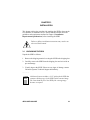
To prevent the possibility of electrical shock, do not remove
the chassis cover to access the NVRAM switch, and use only
a non-metallic tool when moving the NVRAM switch.
The SEHI uses NVRAM (Non-Volatile Random Access Memory) to store
user-entered parameters such as IP address and Community Names. To
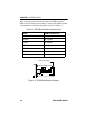
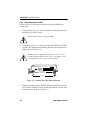
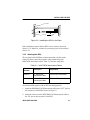
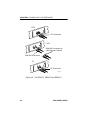
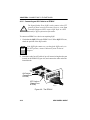
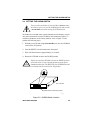
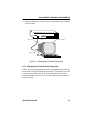
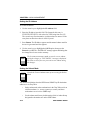
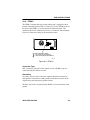
reset these parameters to the factory defaults, refer to Figure 5-2 and
perform the following steps:
1. With the power ON and using a non-metallic tool, move the NVRAM
switch to the UP position.
2. Press the RESET switch located on the front panel.
3. Wait until the unit boots (approximately 12 seconds).
4. Return the NVRAM switch to the DOWN position.
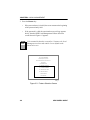
!
CAUTION
Failure to return the NVRAM switch to the DOWN position
will result in loss of user-entered parameters upon power
shutdown and restart. The SEHI will clear NVRAM if the unit
is restarted with the switch in the UP position.
Rear of Chassis
NVRAM Switch located behind grating
1490_5
Figure 5-2. NVRAM Switch Location
SEHI USER’S GUIDE
5-5