1
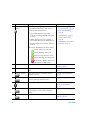
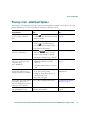
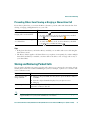
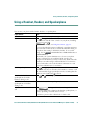
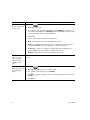
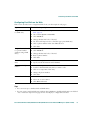
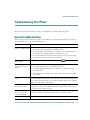
If you want to...
Then...
For more information,
see...
Dial from a Personal Address
Book (PAB) entry
1. Choose
> Personal
Directory to log in.
Using Personal Directory
on Your Phone, page 45
2. Choose Personal Address Book and
search for a listing.
Place a call using a billing or
tracking code (SCCP phones
only)
1. Dial a number.
Place a call using your Cisco
Unified Extension Mobility
profile
Log in to the Extension Mobility service
on a phone.
2. After the tone, enter a client matter
code (CMC) or a forced
authorization code (FAC).
Your system
administrator
Using Cisco Extension
Mobility, page 36
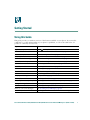
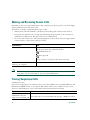
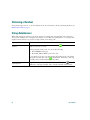
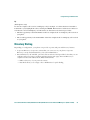
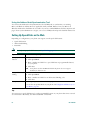
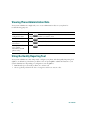
Answering a Call
You can answer a call by lifting the handset, or you can use other options if they are available on your
phone.
18
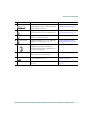
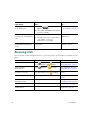
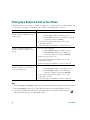
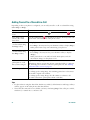
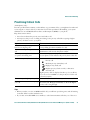
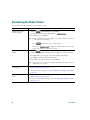
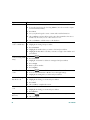
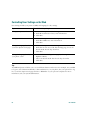
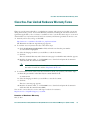
If you want to...
Then...
For more information, see...
Answer with a headset
Press
, if unlit. Or, if
is already
lit, press Answer or
(flashing).
Using a Handset, Headset,
and Speakerphone, page 37
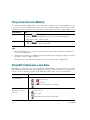
Answer with the
speakerphone
Press
Using a Handset, Headset,
and Speakerphone, page 37
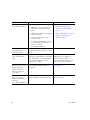
Switch from a connected call
to answer a new call
Press Answer, or if the call is ringing
Using Hold and Resume,
on a different line, press
(flashing). page 19
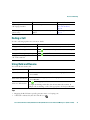
Answer using call waiting
Press Answer.
Using Hold and Resume,
page 19
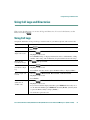
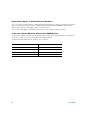
Send a call to a voice
messaging system
Press iDivert.
Sending a Call to a Voice
Messaging System, page 22
Auto-connect calls
Use AutoAnswer.
Using AutoAnswer, page 38
Retrieve a parked call on
another phone
Use Call Park.
Storing and Retrieving
Parked Calls, page 33
, Answer, or
(flashing).
OL-11526-01