1
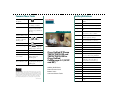
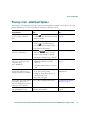
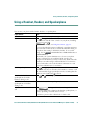
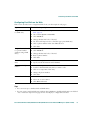
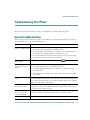
Common Phone Tasks
Softkey Definitions
View online help on
the phone
Press
AbbrDial
Dial using a speed dial index
number
Place a call
Go-off hook before or
after dialing a number.
Answer
Answer a call
Back
Return to the previous Help topic
Redial a number
Press Redial. Or press the
Navigation button while
on-hook to see your Placed
Calls log.
Barge
Add yourself to a call on a shared
line
CallBack
Receive notification when a busy
extension becomes available
Cancel
Cancel an action or exit a screen
without applying changes
.
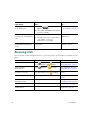
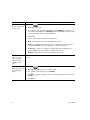
Quick Reference
Switch to the
Pick up the handset.
handset during a call
Switch to the
speaker or headset
during a call
Press
or
, then
hang up the handset.
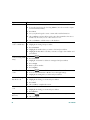
cBarge
Add yourself to a call on a shared
line and establish a conference
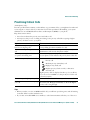
Mute your phone
Press
CFwdALL
Set up/cancel call forwarding
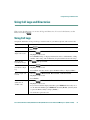
Use your call logs
Press
to choose a
call log. To dial, highlight
a listing and go off-hook.
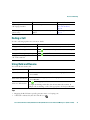
Clear
Delete records or settings
Close
Close the current window
ConfList
View conference participants
Confrn
Create a conference call
Delete
Remove characters to the right of
the cursor when using EditDial
Details
Open the Details record for a
multiparty call in the Missed
Calls and Received Calls logs
Dial
Dial a phone number
DirTrfr
Transfer two calls to each other
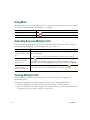
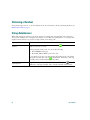
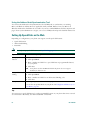
Softkey Definitions
DND
Turn off Do Not Disturb (DND)
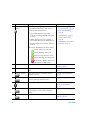
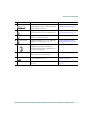
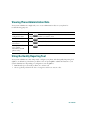
Phone Screen Icons
EditDial
Edit a number in a call log
Button Icons
EndCall
Disconnect the current call
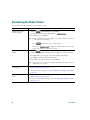
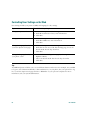
Common Phone Tasks
Erase
Reset settings to their defaults
Exit
Return to the previous screen
GPickUp
Answer a call ringing in another
group
.
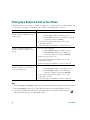
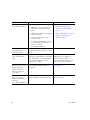
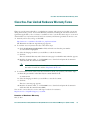
Edit a number
Press EditDial, << or >>.
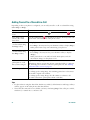
Hold/resume a call
Press Hold or Resume.
Transfer a call to a
new number
Press Transfer, enter the
number, then press
Transfer again.
Start a standard (ad
hoc) conference call
Press more > Confrn, dial
the participant, then press
Confrn again.
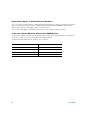
Copyright © 2006 Cisco Systems, Inc. All rights reserved. Cisco, Cisco IOS,
Cisco Systems, and the Cisco Systems logo are registered trademarks of Cisco
Systems, Inc. or its affiliates in the United States and certain other countries.
All other trademarks mentioned in this document or Website are the property
of their respective owners. The use of the word partner does not imply a
partnership relationship between Cisco and any other company. (0502R)
OL-11526-01
Cisco Unified IP Phone
7961G/7961G-GE and
7941G/7941G-GE for
Cisco Unified
CallManager 5.1 (SCCP
and SIP)