1
Operator Manual
Changing to a New Combination
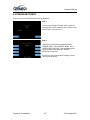
To make up a new combination, select 3 sets of numbers of your own choosing.
• DO NOT USE NUMBERS BETWEEN 0 AND 20 FOR YOUR LAST NUMBER
• DO NOT USE NUMBERS ENDING IN 0 OR 5
• DO NOT USE NUMBERS IN A RISING OR FALLING SEQUENCE (e.g. 35-50-75)
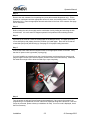
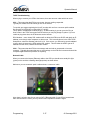
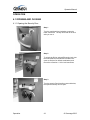
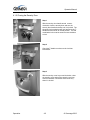
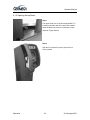
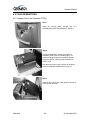
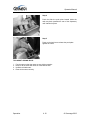
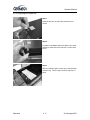
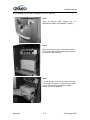
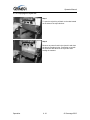
Insert Figures (3)
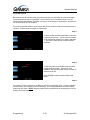
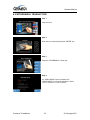
Step 1
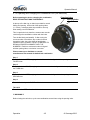
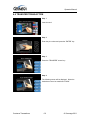
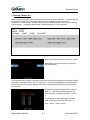
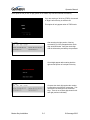
Using the changing index, dial the existing combination as explained in paragraphs 1-3 above.
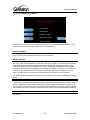
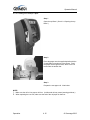
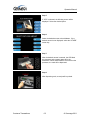
Step 2
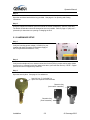
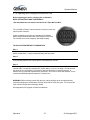
Hold the dial with the last number at the changing index and insert the changing key in the
keyhole in the back of the lock. Insert the key until the wing is entirely inside the lock and comes
to a positive stop.
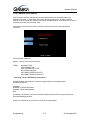
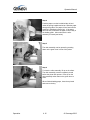
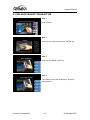
Step 3
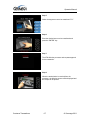
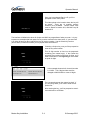
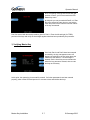
Turn the key one-quarter turn to the RIGHT or “clockwise”. With the changing key in this position,
turn the dial to the LEFT; stopping when the first number of the newly selected combination aligns
with the changing index the FOURTH time.
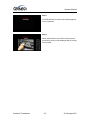
Step 4
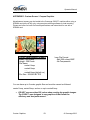
Turn the dial to the RIGHT, stopping when the second number is aligned with the changing index,
the THIRD time.
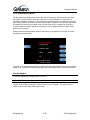
Step 5
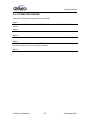
Turn the dial to the LEFT, stopping when the third number is aligned with the changing index, the
SECOND time. Holding the dial in this position, turn the changing key back to the LEFT or
“counter-clockwise” and remove it. The new combination you have chosen is now set in the lock.
WARNING: NEVER INSERT THE CHANGING KEY IN THE LOCK WHEN THE COVER IS
REMOVED. ALWAYS BE CERTAIN THAT THE WING OF THE CHANGING KEY IS ENTIRELY
WITHIN THE LOCK BEFORE TURNING THE KEY. IF AN ERROR HAS BEEN MADE IN
SETTING A NEW COMBINATION, WE SUGGEST THAT AN ACCREDITED LOCKSMITH BE
CONTACTED.
Operation
4.6
© Genmega 2012