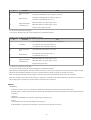
1
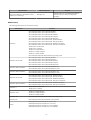
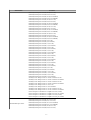
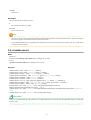
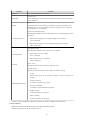
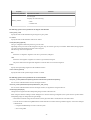
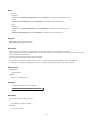
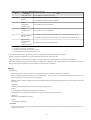
non-zero
An error has occurred.
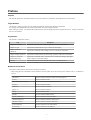
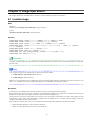
5.6 rcxadm lanctl
Name
[Windows]
Installation_folder\Agent\bin\rcxadm lanctl - Network parameters configuration
[Linux]
/opt/FJSVrcxat/bin/rcxadm lanctl - Network parameters configuration
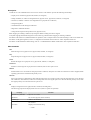
Synopsis
rcxadm
rcxadm
rcxadm
rcxadm
lanctl
lanctl
lanctl
lanctl
set
unset
enable
disable
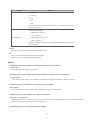
Description
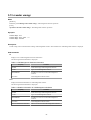
rcxadm lanctl is the command used to configure network parameters for network interfaces on managed servers.
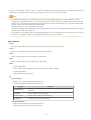
This command cannot be used on managed servers running SUSE Linux Enterprise Server as their operating system.
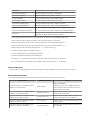
Subcommands
set
Applies the settings previously defined in the network configuration file to the managed server's network interfaces.
For more information regarding the network configuration file, refer to "7.6 Network Parameter Auto-Configuration for Cloning
Images" of the "User's Guide VE".
unset
Clears the network parameters previously applied to the managed server's network interfaces via the set subcommand.
enable
Enables the network parameter auto-configuration function for cloning image deployment.
disable
Disables the network parameter auto-configuration function for cloning image deployment.
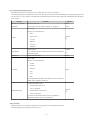
Requirements
Permissions
OS Administrator
Location
Managed server
Examples
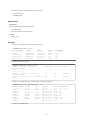
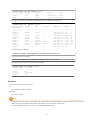
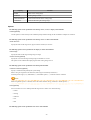
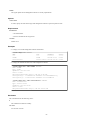
- To apply the network parameters configuration
- 33 -