1
Playback Viewing Options
Video can be viewed on a separate NTSC or PAL
video monitor. Video can also be viewed in an
on-screen window (AVoption only).
Using a Playback Monitor with
AVoption
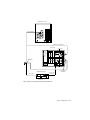
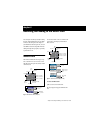
To connect a playback monitor:
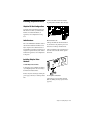
■ Connect a composite output, the component
outputs, the S-Video output, or and SDI output
from the Meridien I/O Box to the proper input
or inputs on the back of your video monitor.
Window Playback
(AVoption Only)
The ABVB video cable includes video outputs to
connect an NTSC or PAL video monitor. You
can connect a monitor that has component or
composite video inputs.
The video card will display full-screen video on
the playback monitor.
To connect a playback monitor:
Connect the composite output or the component outputs from the ABVB cable to the proper
input or inputs on the back of your video monitor.
■
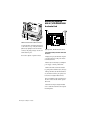
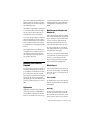
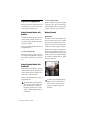
Select Windows > Show Movie Window to view
the Movie track in a window on your computer
screen. This window will display the video in
real time. You can resize or move this window
around your screen when playback is stopped.
The Movie window will give you the best performance when it is displayed on a monitor connected to the ABVB VGA monitor output. With
a monitor connected to your Macintosh graphics accelerator, performance will not be optimal,
and may not work at all.
Using a Playback Monitor with
AVoption XL
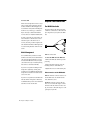
The Meridien I/O Box includes video outputs to
connect an NTSC or PAL video monitor. You can
connect a monitor that has component, composite, S-Video, or SDI video inputs.
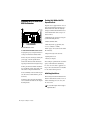
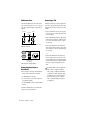
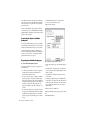
Movie window (AVoption)
The video card will display full-screen video on
the playback monitor.
The Meridien I/O Box can only output from
either S-Video or Component outputs (composite out is always active). You must set
this option in your Movie track. See “Setting
S-Video or Component Output” on page 36
for instructions.
44
AVoption & AVoption XL Guide
You cannot view the video input signal in a
window. In order to view video input, you
must connect an external monitor to the
Composite or Component outputs of the
ABVB card.