1
Adjusting the Screen Image
Adjust the screen image using the buttons on the Front Control Panel to
select from the menus and make adjustments. For descriptions of each control
see the next few pages.
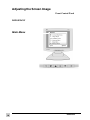
IMPORTANT: The main menu shown below and submenus on following
pages are available only when connected to an analog source. The Digital
source uses only the brightness and contrast control with no menus.
Main Menu
See the steps below for
accessing the menus.
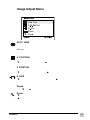
See the next few pages
for descriptions of menu
selections.
All menus and
adjustment screens
disappear automatically.
10
Using the ViewPanel
ViewSonic VG181