1
w w w. d e l l . c o m | s u p p o r t . d e l l . c o m
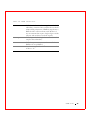
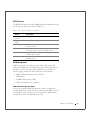
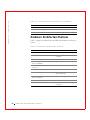
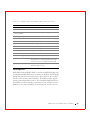
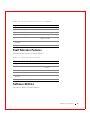
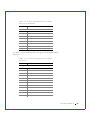
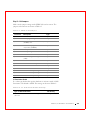
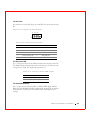
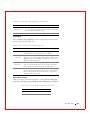
Ta b l e 9 - 6 . J 1 3 D i r t y C a c h e L E D P i n o u t
Pin
Description
1
Signal pulled high
2
Dirty cache signal
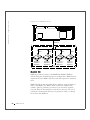
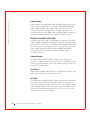
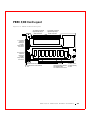
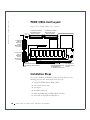
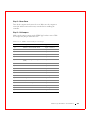
J14 SCSI Activity LED
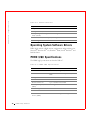
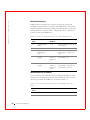
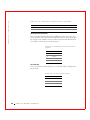
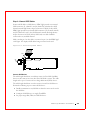
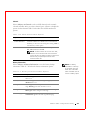
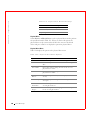
J14 is a four-pin connector for an LED mounted on the computer enclosure.
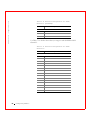
Table 9-7 displays the J14 pinout.
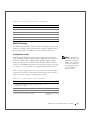
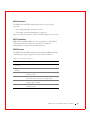
Ta b l e 9 - 7 . J 1 4 S C S I A c t i v i t y P i n o u t
Pin
Description
1
VCC
2
SCSI activity signal
3
SCSI activity signal
4
VCC
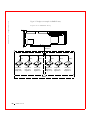
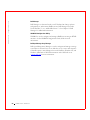
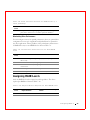
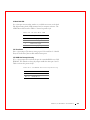
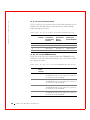
J16 and J18 TERMPWR Enable
J16, and J18 are 2-pin connectors that enable termination power to the
SCSI bus for each SCSI channel. The default is pins 1 and 2 jumpered.
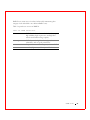
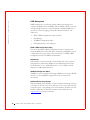
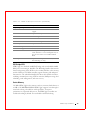
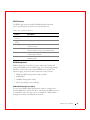
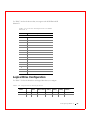
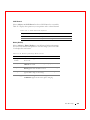
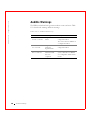
Table 9-8 displays the settings for J16 and J18.
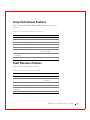
Ta b l e 9 - 8 . J 1 6 a n d J 1 8 T E R M P W R E n a b l e S e t t i n g s
124
Jumper
Termination
Power
Channel
Settings
J16
0
Short pins 1-2 to have the PCI bus on the host
computer provide TermPWR. This is the default
setting. Leave open to let the SCSI bus provide
TermPWR.
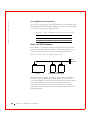
J18
1
Short pins 1-2 to have the PCI bus on the host
computer provide TermPWR. This is the default
setting. Leave open to let the SCSI bus provide
TermPWR.
PERC 3/ DC o r PERC 3/ D CL Ha r d wa r e I n st a lla t io n