1
5304 IP Phone User Guide
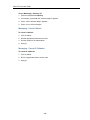
To turn Call Forward on and off (once it has been programmed):
1. Press the programmed Superkey.
2. Press # until "Call Forwarding?" appears.
3. Press *.
4. Press # until the type of Call Forward appears.
5. Press * and then press #.
Call Forward - Remote (I'm Here)
To forward calls from a remote station to your current location:
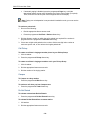
1. Press the programmed Superkey.
2. Press # until "Call Forwarding?" appears.
3. Press *.
4. Press # until "I Am Here" appears.
5. Press *.
6. If a number is already programmed, press * twice.
7. Dial the extension of the remote station.
8. If you make an error while dialing, use the # to backspace and correct the number.
9. Press
(DOWN).
To cancel Call Forward – Remote from the station that set the remote forwarding:
1. Lift the handset.
2. Dial the appropriate feature access code.
3. Dial the extension of the remote station.
4. Hang up.
To cancel Call Forward – Remote from the station that was forwarded:
1. Press the programmed Superkey.
2. Press # until "Call Forwarding?" appears.
3. Press * three times.
4. Press #.
5. Press the programmed Superkey.
- 12 -