1
Table of contents
1 A quick look
Package contents......................................................................................... 5
Your wireless router..................................................................................... 5
Mounting Options........................................................................................ 7
2 Creating your network
Positioning your router.............................................................................. 8
What you need.............................................................................................. 9
Setting up your wireless router.............................................................10
Wired connection................................................................................10
Wireless connection...........................................................................11
Before you proceed....................................................................................12
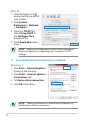
A. Disable the proxy server, if enabled....................................12
B.Set the TCP/IP settings to automatically obtain an IP
address..........................................................................................14
C. Disable the dial-up connection, if enabled......................15
3 Configuring via the web GUI
Logging into the web GUI.......................................................................16
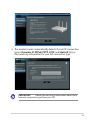
Setting up the Internet connection.....................................................17
Quick Internet Setup (QIS) with auto-detection......................17
Setting up the wireless security settings...........................................21
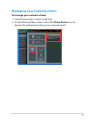
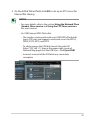
Managing your network clients............................................................22
Monitoring your USB device...................................................................23
Creating your Guest Network................................................................25
Using the Traffic Manager........................................................................26
Managing QoS (Quality of Service) Bandwidth........................26
Monitoring Traffic . .............................................................................27
Using the USB Extension ........................................................................27
Using AiDisk for Files Sharing.........................................................28
Using the Servers Center service...................................................31