1
Operation
AFS 224
™
Other Functions
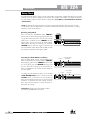
Clearing Filters
o clear the Live filters, press and hold the <BYPASS> button on the selected channel for approximately
T
two seconds. The currently assigned Live filter LEDs will flash. If you wish to clear only the Live filters,
release the <BYPASS> button at this time. If you wish to clear all filters (Fixed and Live), continue to hold
the <BYPASS> button an additional two seconds until all filter LEDs are flashing. At this point, release
the <BYPASS> button and all filters will be cleared.
WARNING! Ensure the system’s gain is reduced before clearing filters.
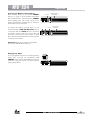
Front Panel Lockout
To lockout all access to the front panel of the AFS 224, press and hold the CHANNEL ONE <LIVE
FILTER LIFT> button until all filter LEDs light from outside to inside, then release. To unlock the front
panel, press and hold the CHANNEL ONE <LIVE FILTER LIFT> button until all filter LEDs light
from inside to outside, then release.
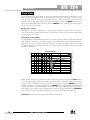
Linking Channels
To toggle between linked and unlinked operation, press and hold the CHANNEL ONE <TYPE> button
until all button LED’s flash, then release the button. Mode of operation can be verified by simply pressing
one of the <BYPASS> buttons to see if the other channel’s <BYPASS> button also changes. If it
does, the channels are stereo linked. If it does not, the processor is configured for dual mono (unlinked)
operation.
16
AFS™ 224 User Manual