1
Appendix A: Control Protocol
IMAGESTAR HD USER GUIDE
Device Setup Commands
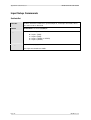
IPADDSet
Function
Sets the IP Address of the device.
NOTE: The new address is not saved until the SaveNetwork command is issued.
The device must then be rebooted to start using the new address.
Format
IPADDSet=<ip1>,<ip2>,<ip3>,<ip4>,0,0\r
Arguments
<ip1… 4> are the four parts of the IP address, each in the range 0 to 255 with no
leading zeros.
Example
IPADDSet=172,28,232,21,0,0\r
Sets the IP Address to 172.28.232.21.
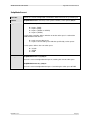
MASKSet
Function
Sets the subnet mask of the device.
NOTE: The new subnet mask is not saved until the SaveNetwork command is
issued. The device must then be rebooted to start using the new subnet mask.
Format
MASKSet=<sn1>,<sn2>,<sn3>,<sn4>,0,0\r
Arguments
<sn1… 4> are the four parts of the subnet mask, each in the range 0 to 255 with
no leading zeros.
Example
IPADDSet=255,255,0,0,0,0\r
Sets the IP Address to 255.255.0.0.
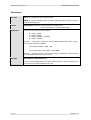
GatewaySet
Function
Specifies the IP Address of the default Gateway server on the network.
NOTE: The new address is not saved until the SaveNetwork command is issued.
The device must then be rebooted to start using the new address.
Format
GatewaySet=<ip1>,<ip2>,<ip3>,<ip4>,0,0\r
Arguments
<ip1… 4> are the four parts of the IP address, each in the range 0 to 255 with no
leading zeros.
Example
GatewaySet =172,28,230,20,0,0\r
Specifies the Gateway IP Address as 172.28.230.20.
Page 76
I460GB issue 4