1
Getting to Know Your ZoneAlarm Z100G Router
Front Panel
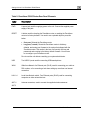
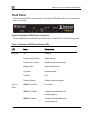
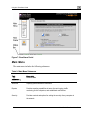
The ZoneAlarm Z100G router includes several status LEDs that enable you to monitor the
router’s operation.
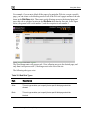
Figure 2: ZoneAlarm Z100G Router Front Panel
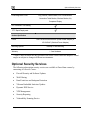
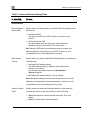
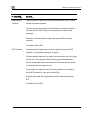
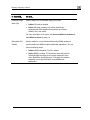
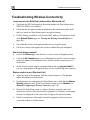
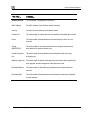
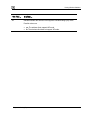
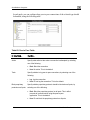
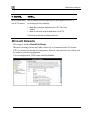
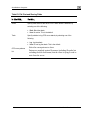
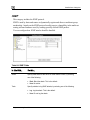
For an explanation of the ZoneAlarm Z100G router’s status LEDs, see the following table.
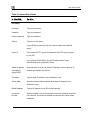
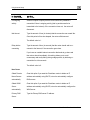
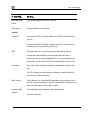
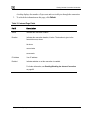
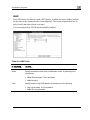
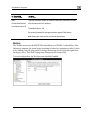
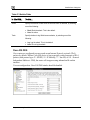
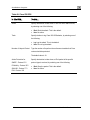
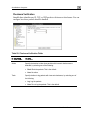
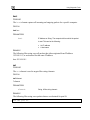
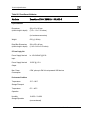
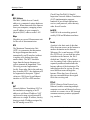
Table 3: ZoneAlarm Z100G Router Status LEDs
LED
State
Explanation
PWR/SEC
Off
Power off
Flashing quickly (Green)
System boot-up
Flashing slowly (Green)
Establishing Internet connection
Flashing (Red)
Hacker attack blocked
On (Green)
Normal operation
On (Red)
Error
Flashing (Orange)
Software update in progress
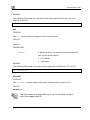
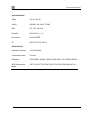
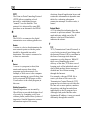
LINK/ACT Off, 100 Off
Link is down
LINK/ACT On, 100 Off
10 Mbps link established for the
LAN 1-4/
WAN
corresponding port
LINK/ACT On, 100 On
100 Mbps link established for the
corresponding port
Chapter 1: Introduction
9