1
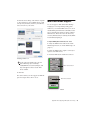
Export This button lets you export the current
MIDI Studio Setup file.
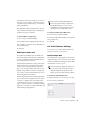
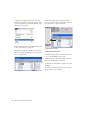
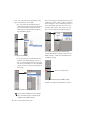
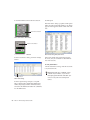
To define an instrument with MIDI Studio Setup:
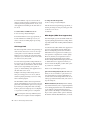
Show Duplicate Emulated Ports When this option is selected and you are using a MIDI interface that supports timestamping (such as MIDI
I/O), the MIDI Studio setup window shows both
the DirectMusic time-stamped output ports, and
non-stamped duplicate emulated output ports.
2 Click Create.
Some MIDI Interfaces will not properly load
or unload their drivers unless you quit and
re-launch Pro Tools. Check the documentation that came with your MIDI interface for
more information.
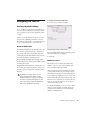
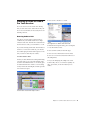
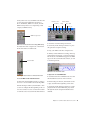
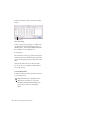
Instrument List
The Instrument list contains all the currently
defined instruments. Selecting an instrument in
the list displays that instrument’s properties in
the Properties section of the window.
1 Choose Setup > MIDI > MIDI Studio.
3 In the Instrument Name field, type the name
of your instrument, and press Enter.
If you do not enter an instrument name, the
Instrument Name field will automatically
inherit information from the Manufacturer
and Model pop-up menu.
4 Set a manufacturer and model for the new de-
vice from the corresponding pop-up menus. If
the Manufacturer and Model pop-up menus do
not provide a name for your particular device,
choose None.
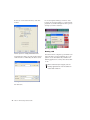
5 From the Input pop-up menu, choose the in-
put port on your MIDI interface that is connected to the MIDI Out of your instrument.
6 From the Output pop-up menu, choose the
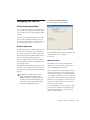
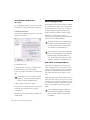
Properties Section
The Properties section lets you edit information
for new instruments, or instrument currently selected in the Instrument list.
output port on your MIDI interface that is connected to the MIDI In of your instrument.
7 Enable the appropriate MIDI channels (1–16)
for the Send Channels and Receive Channels
options (These determine which channels send
and receive MIDI.)
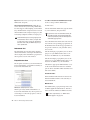
Instrument Name
The Instrument Name field shows the user-definable instrument name for the currently selected instrument.
Manufacturer
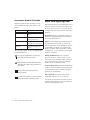
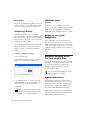
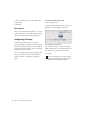
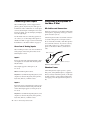
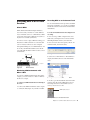
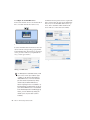
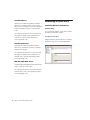
MIDI Studio Setup Properties section
When a previously defined instrument is selected in the Instrument list, the Properties section changes to reflect the properties of the selected instrument.
48
Mbox 2 Mini Getting Started Guide
The Manufacturer pop-up menu provides a list
of MIDI equipment manufacturers. This list is
derived from the XML-based MIDI device files.
For more information, see “MIDI Patch
Name Support” on page 49.