1
Chapter
10
FCIP Issues
In this chapter
• FCIP tunnel issues . . . . . . . . . . . . . . . . . . . . . . . . . . . . . . . . . . . . . . . . . . . . . .
• FCIP links . . . . . . . . . . . . . . . . . . . . . . . . . . . . . . . . . . . . . . . . . . . . . . . . . . . . .
• Port mirroring . . . . . . . . . . . . . . . . . . . . . . . . . . . . . . . . . . . . . . . . . . . . . . . . . .
• FTRACE concepts. . . . . . . . . . . . . . . . . . . . . . . . . . . . . . . . . . . . . . . . . . . . . . .
75
77
79
82
FCIP tunnel issues
Commands described in this chapter require Admin or root user access. See the Fabric OS
Command Reference for detailed information on command syntax.
The following are the most common FCIP tunnel issues and provide recommended actions for you
to follow to fix the issue.
Symptom
FCIP tunnel does not come Online.
Probable cause and recommended action
Confirm the following steps.
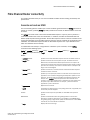
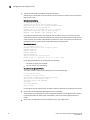
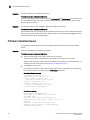
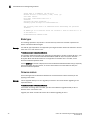
1. Confirm GE port is online.
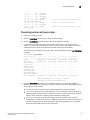
portshow ge1
Eth Mac Address: 00.05.1e.37.93.06
Port State: 1
Online
Port Phys: 6
In_Sync
Port Flags: 0x3 PRESENT ACTIVE
Port Speed: 1G
2. Confirm IP configuration is correct on both tunnel endpoints.
portshow ipif ge1
Port: ge1
Interface
IP Address
NetMask
MTU
---------------------------------------------------------0
11.1.1.1
255.255.255.0
1500
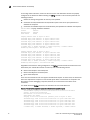
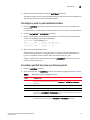
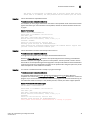
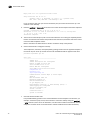
3. Enter the portCmd --ping command to the remote tunnel endpoint from both endpoints.
The -s value is the source IP address; the –d value is the destination IP address.
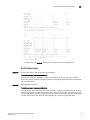
portcmd --ping ge1 -s 11.1.1.1 -d 11.1.1.2
Pinging 11.1.1.2 from ip interface 11.1.1.1 on 0/ge1 with 64 bytes of data
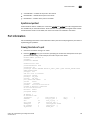
Reply from 11.1.1.2: bytes=64 rtt=0ms ttl=64
Reply from 11.1.1.2: bytes=64 rtt=0ms ttl=64
Reply from 11.1.1.2: bytes=64 rtt=0ms ttl=64
Fabric OS Troubleshooting and Diagnostics Guide
53-1001187-01
75



























![FICON_AdminGd_v700[1].](http://vs1.manualzilla.com/store/data/005962703_1-207ddf39f2a91b852624dcbb8fd7d57f-150x150.png)