1
English
Dansk
Deutsch
Español
Français
Italiano
Nederlands
Svenska
OPERATING INSTRUCTIONS
2.
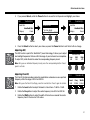
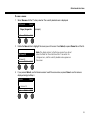
Press the Select button to select your choice, or press the Cancel button to exit the list with no change.
3.
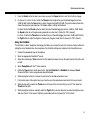
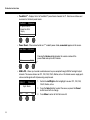
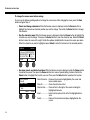
For Chorus1-3 and Flanger1-2: Rotate the Mix button to adjust the desired mix of dry signal to wet signal
(modulator-processed). Rotate the Depth button to adjust how much the pitch varies from the original input
signal. Press the Depth button to access the Speed parameter. Rotate the Speed button to adjust how
quickly the pitch modulates.
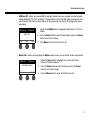
For Phaser1-4: Rotate the Speed button to adjust how quickly the pitch modulates. Rotate the Fdbk. button
to adjust how much the modulation reverberates.
For Tremolo: Rotate the Speed button to adjust how quickly the volume modulates. Rotate the Depth button
to adjust how much the volume varies from the original input signal.
Adding delays
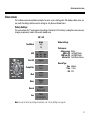
CH 1
Delay
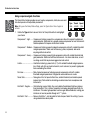
The Delay function allows you to apply a digital-, analog-, or tape-style delay.
Note: To bypass the Delay settings, press the Type button. Press it again to activate.
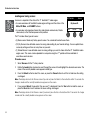
1.
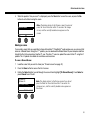
Rotate the Type button to access the list of Delay types and highlight your
choice.
Fdbk.
Type
Analog
Mix
30%
Time
150ms
Digital Delay............Straight digital delay effect where the repeats remain
uncolored. Features adjustable mix, time, and feedback
parameters. Works well with guitars, drums, and vocals.
Analog Delay...........Classic analog delay effect where the repeats continuously deteriorate. Features adjustable mix, time, and feedback parameters. Works well with guitars, drums, and vocals.
Tape Delay ..............Vintage-style tape delay effect where the repeats deteriorate even more than Analog
Delay. Well-suited for guitars, horns, harmonica, and vocals.
2.
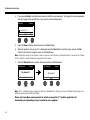
Press the Select button to select your choice, or press the Cancel button to exit the list with no change.
3.
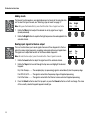
Rotate the Mix button to set the desired mix of dry signal to wet signal (delayed).
4.
Rotate the Time button to adjust the amount of the delay time.
5.
Press the Time button to access the Fdbk. setting. Rotate the Fdbk. button to adjust the amount of delay
feedback.
25