1
2
The Graphical User Interface
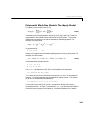
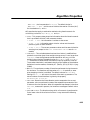
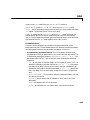
Instrumental Variables: Determines a and b so that the error between the
right- and left- hand sides becomes uncorrelated with certain linear
combinations of the inputs. This is obtained by selecting IV in the Method box.
The methods are described in more detail in the “Command Reference” chapter
under arx and iv4.
Multi-Output Models
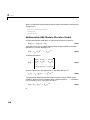
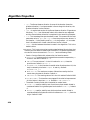
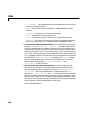
For a multi-output ARX structure with ny outputs and nu inputs, the
difference equation above is still valid. The only change is that the coefficients
a are ny-by-ny matrices and the coefficients b are ny-by-nu matrices.
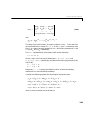
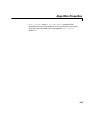
The orders [NA NB NK] define the model structure as follows:
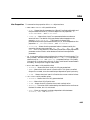
NA: an ny-by-ny matrix whose i-j entry is the order of the polynomial (in the
delay operator) that relates the j-th output to the i-th output
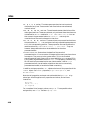
NB: an ny-by-nu matrix whose i-j entry is the order of the polynomial that
relates the j-th input to the i-th output
NK: an ny-by-nu matrix whose i-j entry is the delay from the j-th input to the
i-th output
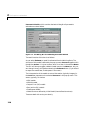
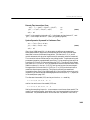
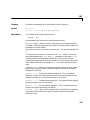
The Order Editor dialog box allows the choices
NA = na∗ones(ny,ny)
NB = nb∗ones(ny,nu)
NK = nk∗ones(ny,nu)
where na, nb, and nk are chosen by the pop-up menus.
For tailor-made order choices, construct a matrix [NA NB NK] in the MATLAB
command window and enter the name of this matrix in the Order edit box in
the Parametric Models window.
Note that the possibility to estimate many models simultaneously is not
available for multi-output ARX models.
See “Defining Model Structures” on page 3-35 for more information on
multi-output ARX models.
2-22