1
DMRPWT635GL_eng.book 9 ページ
2013年2月4日 月曜日 午後1時25分
Getting started
Notes
Notes for an External HDD (USB HDD)
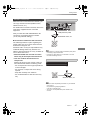
You can use an external HDD in the following two ways. (A single HDD cannot handle those two ways
simultaneously.)
• For recorded titles
Moving titles in the built-in HDD to a USB HDD to save the capacity of the built-in HDD.
• The USB HDD must first be registered on this unit. (> 61)
• For data files
Playing back MP4, JPEG, MP3, etc. (data files) in a USB HDD with this unit.
• The USB HDD must be formatted in FAT12, FAT16, FAT32 and NTFS file system.
• The USB HDD over 2 TB is not usable.
• This unit supports USB 2.0 High Speed.
• Although this unit can use USB 3.0 devices as USB 2.0 devices, in certain cases USB 3.0 devices cannot be used due to
differing connector shape, larger current ratings, etc. (Use of USB 2.0 devices is recommended.)
• This unit does not recognize USB HDDs other than those in which the size of one sector is 512-bytes. (For details, consult the
dealer of your USB HDD.)
• This unit does not guarantee connection with all USB devices.
Notes for the disc
• Disc recorded on a recorder, PC, etc.
• It may be necessary to finalize the disc, create Top Menu or close the session on the equipment
used for recording to play on this unit.
• Discs that cannot be played
- DVD-RAM
- HD DVD
- CD-ROM, Photo CD, PD, etc.
- DVD-Audio
- Super Video CD, Super Audio CD, Video CD
• Operation and sound quality of CDs that do not conform to CD-DA specifications (copy control CDs, etc.) cannot be
guaranteed.
VQT4L31
9