1
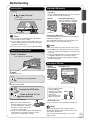
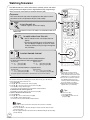
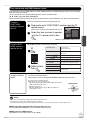
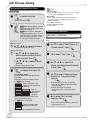
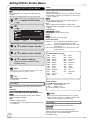
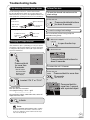
Entering Text
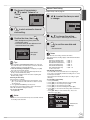
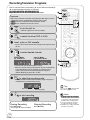
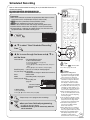
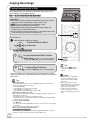
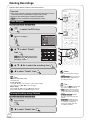
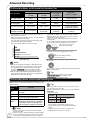
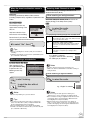
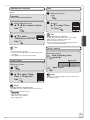
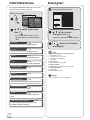
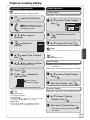
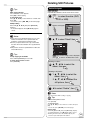
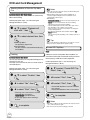
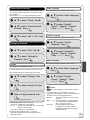
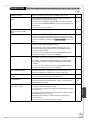
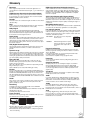
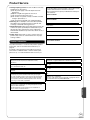
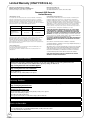
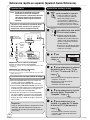
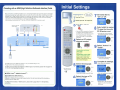
FUNCTIONS Window
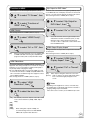
By using the FUNCTIONS window you may access
the main functions quickly and easily.
When viewing the Name screen.
Recording Name
_
With the unit stopped
FUNCTIONS
DVD-RAM
Cartridge Protection Off
Disc Protection Off
Playback
Program
FUNCTIONS
DVD-RAM
Cartridge Protection Off
Disc Protection Off
delete
Playback
Playlists
Copy
Program
Flexible Recording
Other Functions
delete
DV Camcorder Rec.
OK
Copy
Setup
Other Functions
DVD Management
Delete
Set
OK
1 1
2
3
5
6
7
2 A
B
C
a
b
c
4
3 D
E
F
d
e
f
4 G
H
I
g
h
i
5 J
K
L
j
l
6 M N
O
k
m n
7 P
8 T
Q
R
U
V
9 W X
0 . ,
Y
?
8
9
/
0
%
$
&
@
o
[
]
_
p
q
r
s
(
t
u
v
{
}
)
-
Z
w
x
!
"
'
y
:
z
;
\
`
|
^
S
Space
OK
, to select a menu item,
then OK
– If you select “Other Functions”, press
[, ] to select a menu item and press
[OK].
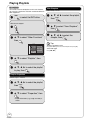
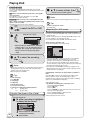
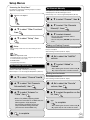
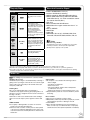
Playback
30
You can select and play recorded programs.
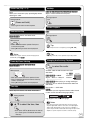
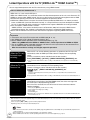
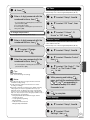
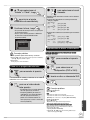
, , , to select
characters, then OK
–Repeat this step to enter other characters.
STOP
when you’ve finished
entering text.
Program
19
You can make scheduled recording settings.
Delete
22
You can delete recordings using DELETE Navigator.
Copy
20
You can copy recordings using COPY Navigator.
Copy New Pictures
48
You can copy still pictures.
Playlists
32
You can play playlists.
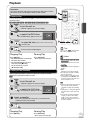
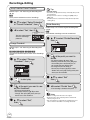
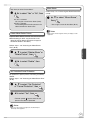
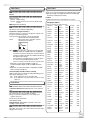
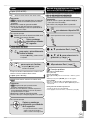
Tips
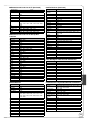
Using the numbered buttons to enter characters
e.g.: entering the letter “R”
1. Press [7] to move to the 7th row.
2. Press [7] twice to highlight “R”.
3. Press [OK].
To enter a space
Press [_ DELETE] then press [OK].
To delete a character
Press [ PAUSE] on a character in the name field.
To cancel in the middle
Press [RETURN].
Characters will not be saved.
Notes
Long recording names may not be displayed.
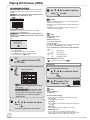
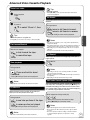
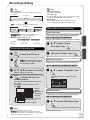
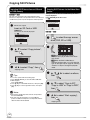
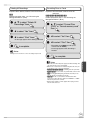
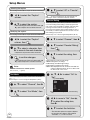
Flexible Recording
26
The unit sets the best possible picture quality that
fits the recording within the remaining disc space.
DV Camcorder Rec.
29
DV automatic recording function
Setup
55
You can change the unit’s settings using Setup
menu.
DVD and Card Management
52
You can manage discs through formatting,
finalizing and other operations.
42
RQT9056