1
Additional Features
Reminder - Multiple
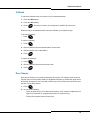
To set multiple reminders (up to three):
1. Press MENU.
2. Press the Supr softkey.
3. Press No until "Timed Reminder?"appears.
4. Press Yes.
5. Enter the time for Timer 1 in 12-hour format--for example, 01:45.
6. Press AM or PM.
7. Press Save.
8. Press Yes or No softkey depending on whether you want the reminder to repeat daily.’
9. Repeat the first four steps, and then press Next to set Timer 2.
10. Repeat the procedure for Timer 3.
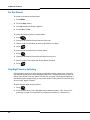
To view, change, and/or cancel a pending Reminder:
1. Press MENU.
2. Press the Supr softkey.
3. Press No until "Timed Reminder?"appears.
4. Press Yes.
The reminder time for TIMER 1 appears (an asterisk beside the time indicates that the timer
repeats daily, HH:MM indicates that the timer has not been programmed).
5. Press Next to display the other timers.
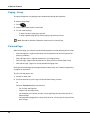
6. Do one of the following:
-
To change the time, press Chng, enter the new time, press Save, and then press Yes
or No depending on whether you want the reminder to repeat daily.
-
To cancel the Reminder, press Del.
-
To exit without canceling the Reminder, press Supr.
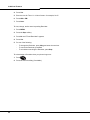
To acknowledge a Reminder when your phone rings once:
1. Press
.
2. Press the Confirm softkey (if available).
27