1
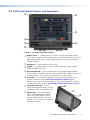
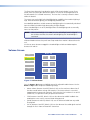
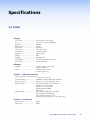
e LCD screen — has a 800x480 resolution with a touch overlay. A graphical user
interface, designed using the Extron GUI Configurator software, displays
buttons, text, or icons on the screen (page 24). These are configured for a range of
user‑defined functions, using the Extron Global Configurator software (page 29).
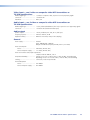
f Connection status LED — is unlit during normal operation. Blinks red if the
connection to the IP Link controller is lost.
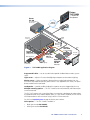
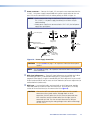
g
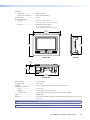
Figure 3.
TLP 710MV Top View
g Light sensor — is mounted on top of the display frame. The sensor monitors the
level of ambient light and adjusts the screen brightness. The sensor can be viewed
only from above the panel.
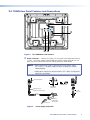
Reset Buttons and LED
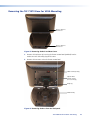
The front bezel is removed by inserting the Extron removal tool into the slots on the top of
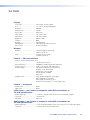
the unit. Behind the bezel are two buttons and an LED.
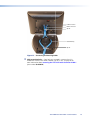
h
ij
Figure 4. TLP 710MV Front Panel with the Bezel Removed
h Menu button — activates the on-screen menus for calibrating the unit (see
page 14).
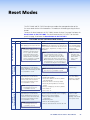
i Reset button — allows the unit to be reset in any of four different modes. For further
information see “Reset Modes” on page 47.
j Reset LED — provides feedback about the reset status when the user presses the
reset button. For further information see “Reset Modes” on page 47.
TLP 710MV and TLP 710TV • Panel Features
5