1
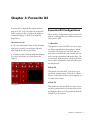
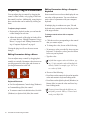
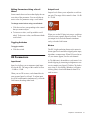
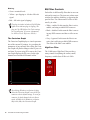
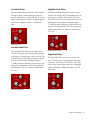
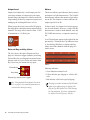
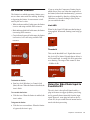
Editing Parameters Using a Computer Keyboard Editing Parameters Using a Scroll Wheel Some controls have text boxes that display the current value of the parameter. You can edit the numeric value of a parameter with your computer keyboard. Some controls have text boxes that display the current value of the parameter. You can edit the numeric value of a parameter using a scroll wheel. To change control values using a scroll wheel: If multiple plug-in windows are open, Tab and keyboard entry remain focused on the plug-in that is the target window. 1 Click the text box corresponding to the control that you want to adjust. 2 To increase a value, scroll up with the scroll wheel. To decrease a value, scroll down with the scroll wheel. To change control values with a computer keyboard: 1 Click the text box corresponding to the control that you want to adjust. Toggling Switches 2 To change the value, do one of the following: To toggle a switch: • To increase a value, press the Up Arrow on your keyboard. To decrease a value, press the Down Arrow on your keyboard. • Type the desired value. In fields that support values in kilohertz, typing “k” after a number value will multiply the value by 1,000. For example, type “8k” to enter a value of 8,000. 3 Do one of the following: • Press Enter on the numeric keyboard to input the value and remain in keyboard editing mode. • Press Enter on the alpha keyboard (Windows) or Return (Mac) to enter the value and leave keyboard editing mode. Click the switch. D3 Parameters Input Level Input Level attenuates signal input level to the compressor or limiter. The range of this control is from –30 dB to 0 dB. When you use the stereo version of the D3 plug-in, each channel has its own separate Input Level knob. To adjust input levels for both channels simultaneously, Shift-drag. Alt-Shift-clicking (Windows) or Option-Shift clicking (Mac) either Input Level knob resets both channels to 0 dB. To move forward through the different control fields, press the Tab key. To move backward, press Shift+Tab. Input Level Chapter 4: Focusrite D3 17