1
Operation
Bypass Mode
To place the 290's reverb into Bypass mode, press and hold the [ROOM]
and [CHAMBER] reverb Type buttons simultaneously. Bypass mode is
indicated by the flashing LEDs of the currently selected Type/Size/Color
buttons. Pressing any button will exit the Bypass mode (along with
changing the setting if a new Type/Size/Color is selected). An external
footswitch can also be used to enter or exit the Bypass mode.
NOTE: Bypass mode affects only the wet portion of the Wet/Dry signal
(this means that Bypass acts as a reverb mute).
Noise Gate
The dbx 290 includes a digital noise gate to push the noise floor down,
ensuring that the 290 is at its quietest when sitting idle (the most important time to be quiet). The noise gate is located just before the 290's
reverb, which the means reverb's decay never gets prematurely cut off.
Threshold is the one parameter that may need adjustment in your particular application. This is the level at which the gate will open. Threshold
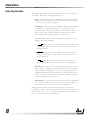
ROOM
HALL
CHAMBER
PLATE
CATHEDRAL
GATED
SMALL
TYPE
MEDIUM
LARGE
SIZE / GATE SHAPE
Level 3 (highest threshold)
Level 2
Level 1
Level 0 (off)
is set by doing the following:
• Simultaneously press and hold the [SMALL] and [LARGE] Size buttons until their respective LEDs light.
• The current threshold setting is displayed using the reverb Type
LEDs in the following manner:
• To choose a new Threshold setting, simply select one of the first
four Type buttons for the desired level.
The 290 pauses briefly to show your selection and then returns to
normal operation mode.
The purpose of the noise gate is to eliminate unwanted noise in the
absence of program material at the 290's inputs. This unwanted noise
usually comes from other not-so-quiet pieces of equipment. By using
Stereo
Reverb
290
9