1
Menu operations
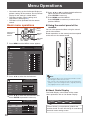
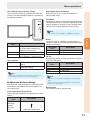
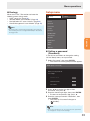
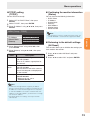
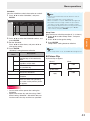
OPC (Optical Picture Control) setting
You can set the monitor to automatically adjust the
screen to suitable backlight brightness according to
the lighting conditions.
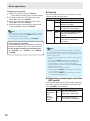
DNR (Digital Noise Reduction)
Reduces noise on the screen and produces a
clearer video image.
Film Mode
Automatically detects a film-based source (originally
encoded at 24/25 frames/second, depending on the
vertical frequency), analyses it then recreates each
still film frame for high-definition picture quality.
Note
•This model is not compatible to 1080/24p input signal.
Selectable
items
On(Display)
On
Off
Description
Displays the OPC effect on
the screen while adjusting the
brightness of the screen.
Automatically adjusts
The brightness is fixed at the value
set in “Backlight”. (See page 32.)
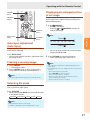
OPC indicator
Light off
“Off” is selected in the OPC
setting.
Lighted (Green) “On” or “On(Display)” is selected
in the OPC setting.
Note
•Make sure no object obstructs the OPC sensor, which
could affect its ability to sense surrounding light.
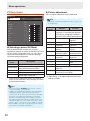
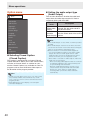
n Advanced picture settings
The advanced settings enable you to set the picture
adjustment in more detail. There are 6 options you
can choose from.
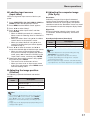
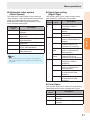
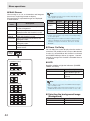
Black
For easier viewing, change the viewing depth by
selecting a level for automatically adjusting the dark
portion of an image.
Selectable
items
On
Off
Description
For high detail in black portions
No adjustment
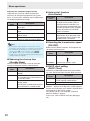
3D-Y/C
Provides high quality images with minimal dot crawl
and cross color noise.
Selectable
items
Standard
Fast
Slow
Off
Description
Normal adjustment
For movie image
For still image
3D-Y/C off
Note
•3D-Y/C is not selectable depending on the input signal
type.
•3D-Y/C may not operate depending on the input signal
type or noisy input signal.
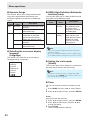
Monochrome
For viewing images in monochrome.
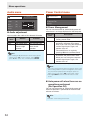
Color Temp. (Color Temperature)
Adjusts the color temperature to give the best white
image.
Selectable
items
High
Mid-High
Middle
Mid-Low
Low
Description
White with bluish tone
White with reddish tone
33
Operation
OPC indicator