1
(Continued)
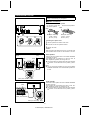
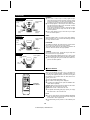
■ Dynamic range setting
DVD discs have a wider dynamic range (sound volume
range) than existing VHS videotapes or CD discs. If they are
played in home systems, there may be too much difference
between the loud and quiet sounds. Therefore, if the volume
is set so that the quiet sounds can be heard clearly, the loud
sounds may be far too loud.
On the other hand, if the volume is set so that the loud
sounds are not too loud, you may not be able to hear the
quiet sounds. Three settings are available to control the dynamic range easily.
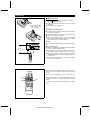
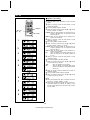
MENU
XW
SET UP
1
ITEM
2
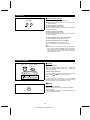
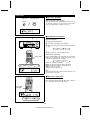
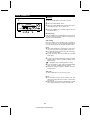
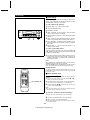
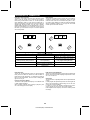
Press the MENU button repeatedly to make "D-RANGE"
appear.
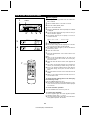
Within 10 seconds, press the ITEM button to select
"MAX", "STD" or "MIN".
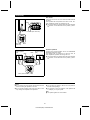
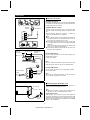
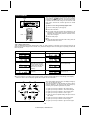
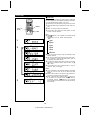
MAX:
1
DIGITAL
STD:
MIN:
2
This setting does not compress the dynamic range
of the Dolby digital signal, allowing you to enjoy
the full, powerful sound of Dolby encoded digital
signals.
This setting compresses the dynamic range, and
may produce a more appropriate volume range for
home use.
This setting compresses the dynamic range, allowing you to enjoy movies at a lower volume.
DIGITAL
DIGITAL
DIGITAL
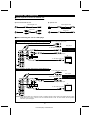
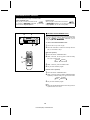
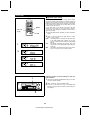
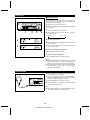
Returning various surround settings to their default condition:
1
1
2
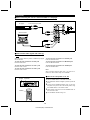
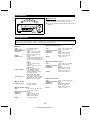
Hold down the DOLBY SURROUND button on the main
unit until "CLEAR" appears.
Within 5 seconds, press the ENTER button.
● As shown on the setup menu, any of the settings that
have been changed will be returned to their factory default settings.
2
20
HT-DD5000(SEC) TINSE0009SJZZ