1
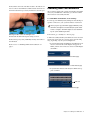
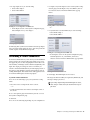
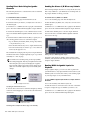
4 Click in the channel grid to route a MADI assignable chan-
nel (listed across the top to an available input channel or FX
Return (listed on the left).
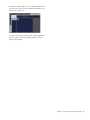
Patching MADI channels to the FX Returns for playback
5 Activate each input by turning on the assigned input channels, and adjust the level by adjusting the faders of the assigned input channels.
Chapter 3: Connecting and Using the MADI Card 17









![Stage 48 - akmedia.[bleep]digidesign.](http://vs1.manualzilla.com/store/data/007247961_1-0fc36f720a3108317a47260e3de3799a-150x150.png)