1
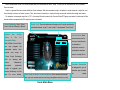
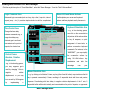
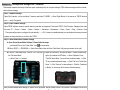
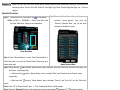
Knowing Main Function of the “Macro Manager”
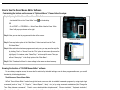
Click the any button option of “Oscar Main Menu”, select the” Macro Manager…”from the “Task Pull-down Menu”.
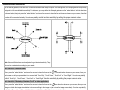
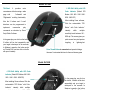
Logic Command Area
Record K/B and Mouse Actions
Advanced logic commands (such as: loop, skip a line, if, equal to, interval
It will duplicate your mouse and keyboard
repeat, jump… etc.), it provides simple solution to edit the complicated
actions and then playback exactly the same in
A
Keyboard Simulation Area
D
Time Control Area
Change the time delay
C
B
between commands, e.g., a
one click on the mouse button
will perform all the actions either
longer time delay may
eliminate gun’s recoil and
F
concentrate on the point of
to buy all weapons, or quick
Macro
impacts, the shorter time
Programming
E
G
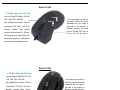
Control Cursor
Absolute / Relative
Displacement
commands. For instance, in the
using
recoil by changing Y Axis to
relative
displacement; or you may
turn around by 180 degrees
implementing
perform consecutive keyboard
the
a
consecutive
actions
Ctrl+Shift+others
combination
advantage
you may suppress gun’s
by
assignment of team tasks, or
“WARCRAFT”, you may simplify
- e.g., in the shooting games,
negative
- e.g., in the shooting games,
and
over
take
by
key
the
your
Mouse Simulation Area
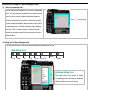
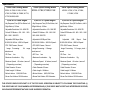
- e.g., by clicking on left button 5 times, any key (other than left button) may simulate as the left
key is pressed consecutively 5 times, resulting in 5 sequential shots with fierce and precise
firepower. Coordinating with time delay to negative relative displacement of the Y axis, 5
sequential bullets will be shot instantly and concentrated on the point of impacts; no opponents
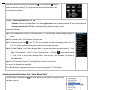
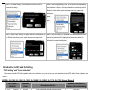
Macro Manager Menu