1
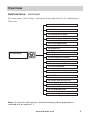
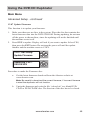
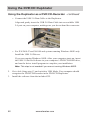
Using the DVD/CD Duplicator Main Menu Advanced Setup - continued 12.07 Update Firmware This function is to update your firmware. 1. Make sure there are no discs in the system. Place the disc that contains the latest firmware data into the DVD/CD-ROM. During updating, do not turn off the power to the machine, since the updating will not be finished until the machine resets itself. 2. Press ENT to update. Display will ask if you want to update. Select YES, then press the ENT button. Do not turn the power off until the update finishes and the machine resets to COPY. 12-07. Adv Setup Update Firmware ENT Searching F/W--XXX/XXXXX ENT ESC ESC Procedure to make the Firmware disc: a. Get the latest firmware download from the Aleratec website at www.aleratec.com. Note: Be careful to download the correct firmware; if incorrect firmware is used the duplicator will not function b. Unzip the firmware and write the file “cdxxx.bin” to a blank DVD/ CD-R or DVD/CD-RW disc. The Session of the disc has to be closed. www.aleratec.com 45