1
1 Overview
This Installation Guide explains how to physically
install and configure Adaptec APA-348 MiniSCSI™
Plus Parallel-to-SCSI host adapters. The MiniSCSI
Plus has been designed to provide simple, flexible
control of most SCSI devices. The adapter’s highspeed operation is fully compatible with bidirectional parallel ports, offering excellent performance
while remaining compatible with unidirectional
ports found on many older computers. Both SCSI
and parallel printer interfaces may be operated
simultaneously, with no performance degradation.
Hardware Requirements
■
The parallel port must be standard—i.e., have a
fully IBM®-compatible hardware design, including all ground lines. For highest performance, the
computer’s parallel port must be capable of bidirectional operation.
■
The SCSI device chain must be properly terminated as per ANSI SCSI specifications.
■
The SCSI device(s) connected to the MiniSCSI
Plus must have the standard ANSI SCSIspecification TERMPOWER implemented, since
the adapter draws its power from this line.
■
■
IBM or compatible AT®, PS/2®, or similar
computer.
A 100% IBM-compatible BIOS. Operation with an
incompatible BIOS may be possible but is not
guaranteed.
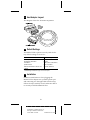
Checklist
■
APA-348 MiniSCSI Plus host adapter
■
3.5-inch, 1.44-MBytes software diskettes
■
APA-348 MiniSCSI Plus Installation Guide
■
Software User Guide
■
Product Registration card
■
Microsoft® MSCDEX Registration card
If anything is missing, please contact your dealer.
1
A
AAAA
AAAA
AAAA
A
AAAAAAAA
AAAAAAAA
AAAAAAAA
AAAAAAAA
AAAAAAAA
AAAAAAAA
AAAAAAAA
AAAAAAAA
AAAAAAAA
AAAAAAAA
AAAAAAAA
AAAAAA
AA
A
AA
APA-348 Installation Guide
A
AA
A
AA
A
AA
Part
Number:
510603-00,
Rev.
A
A
AA
A
AA
A
AA
Print
Spec
Number:
492716-00
A
AA
A
AA
A
AA
Current
Date:
5/19/94
ECN
Date:
5/31/94
A
AA
A
AAAAAAAAAAAAAAAAAAAAAAAAAAAAAAAAAAAAAAAAAAAAAAAAAAAAAA
AA